If you use SiteGround to manage your website (like yourclinicname.com), here’s a quick guide to verifying your domain so Beami can send emails on your behalf securely and reliably.
When Beami sends emails on your behalf (like confirmations, reminders, or replies), verifying your domain proves to email providers (like Gmail or Outlook) that Beami has permission to do so. This improves email deliverability, helps reduce the chances of your emails going to spam, and keeps your communication professional and secure.

SiteGround is a domain provider; think of them as online landlords for your web address.

Why that matters:
It helps email systems trust your messages, improving the chances they land in the inbox instead of spam.
It allows you to safely and securely send emails from [email protected].
It protects your domain from being spoofed or used by spammers pretending to be you.
DKIM – Adds a digital signature to your emails to prove they’re authentic.
Custom Return-Path – Helps identify bouncebacks from failed emails.
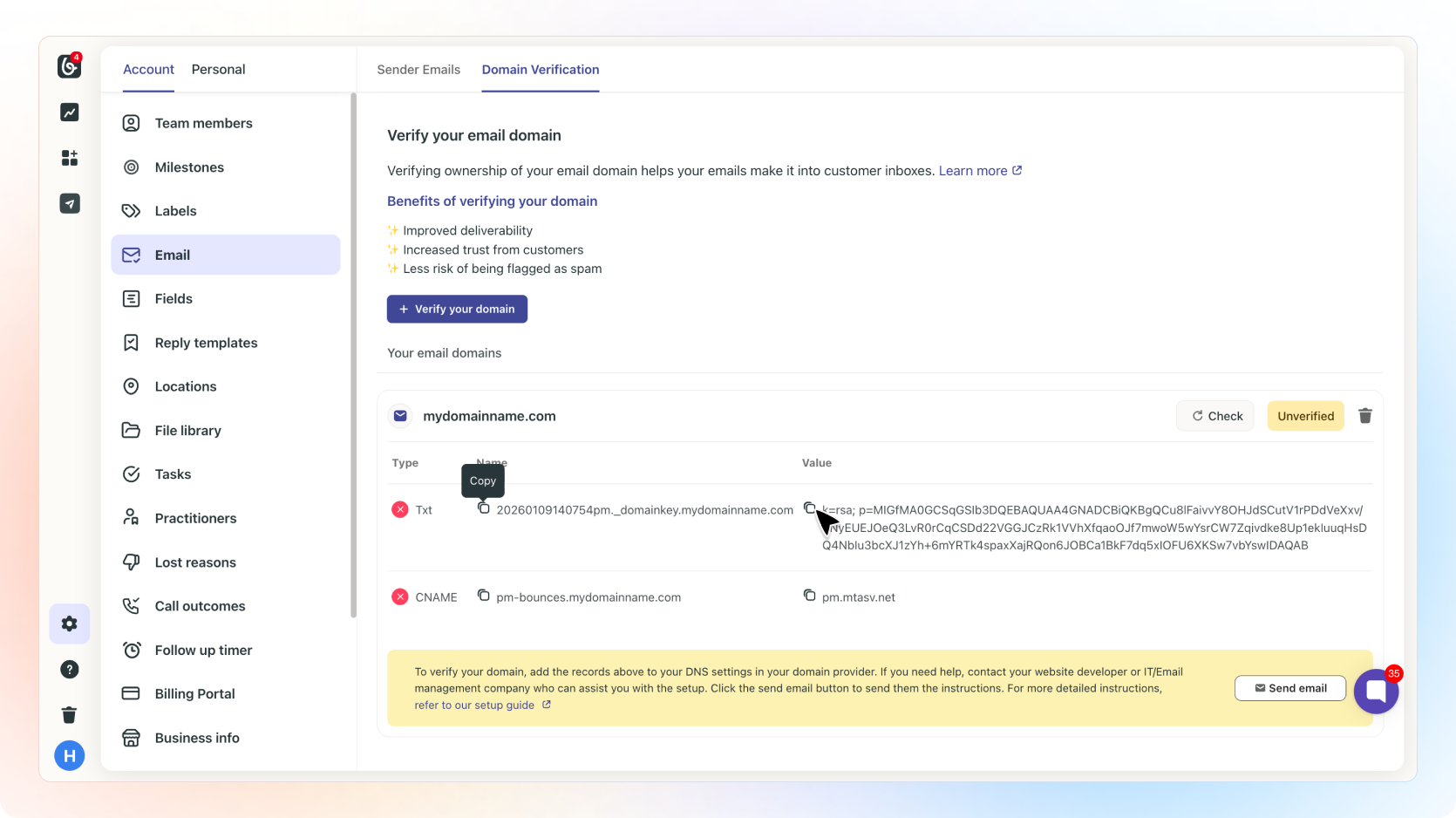
Log into Beami and go to Account Settings > Email Settings > Domain Verification.
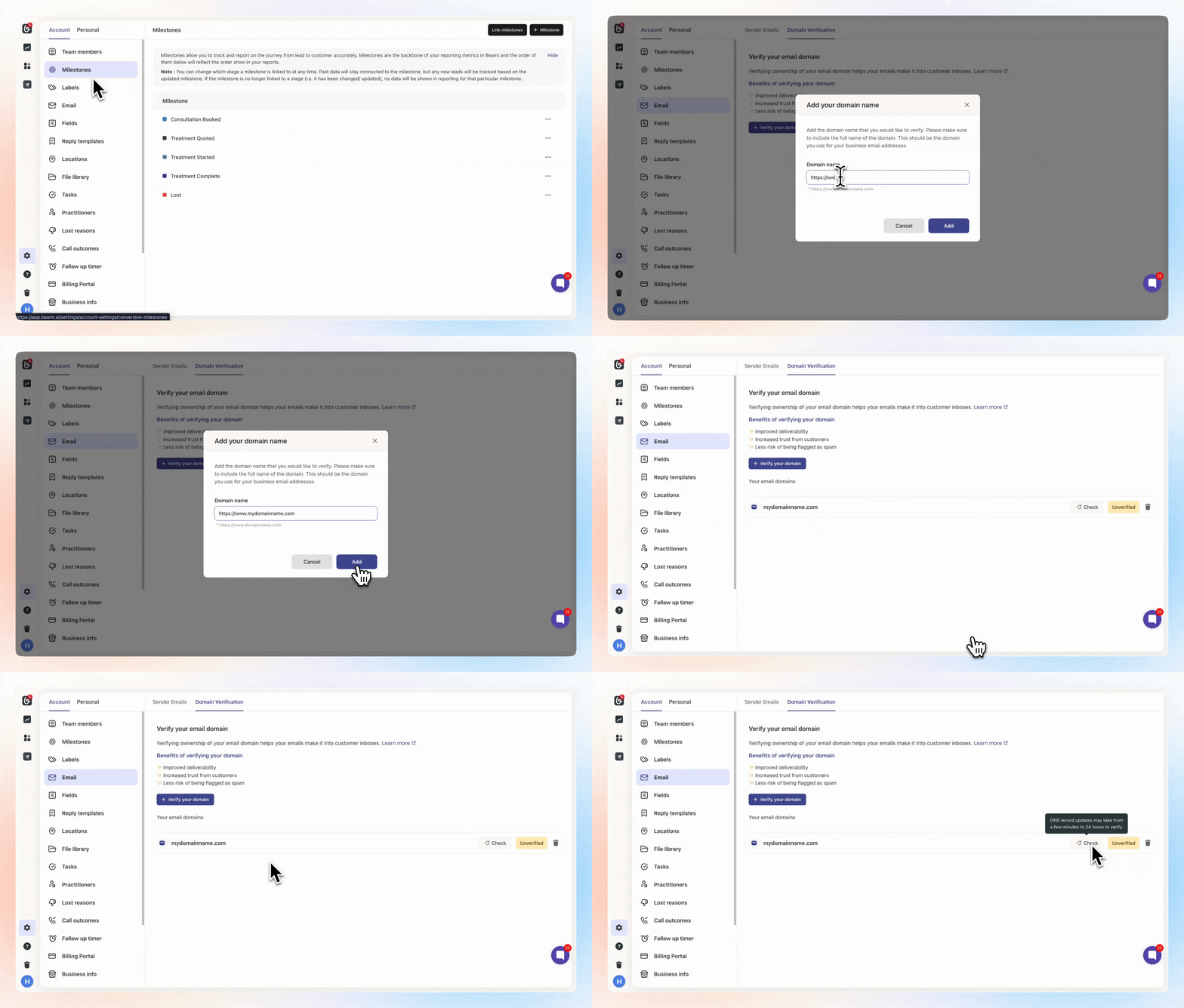
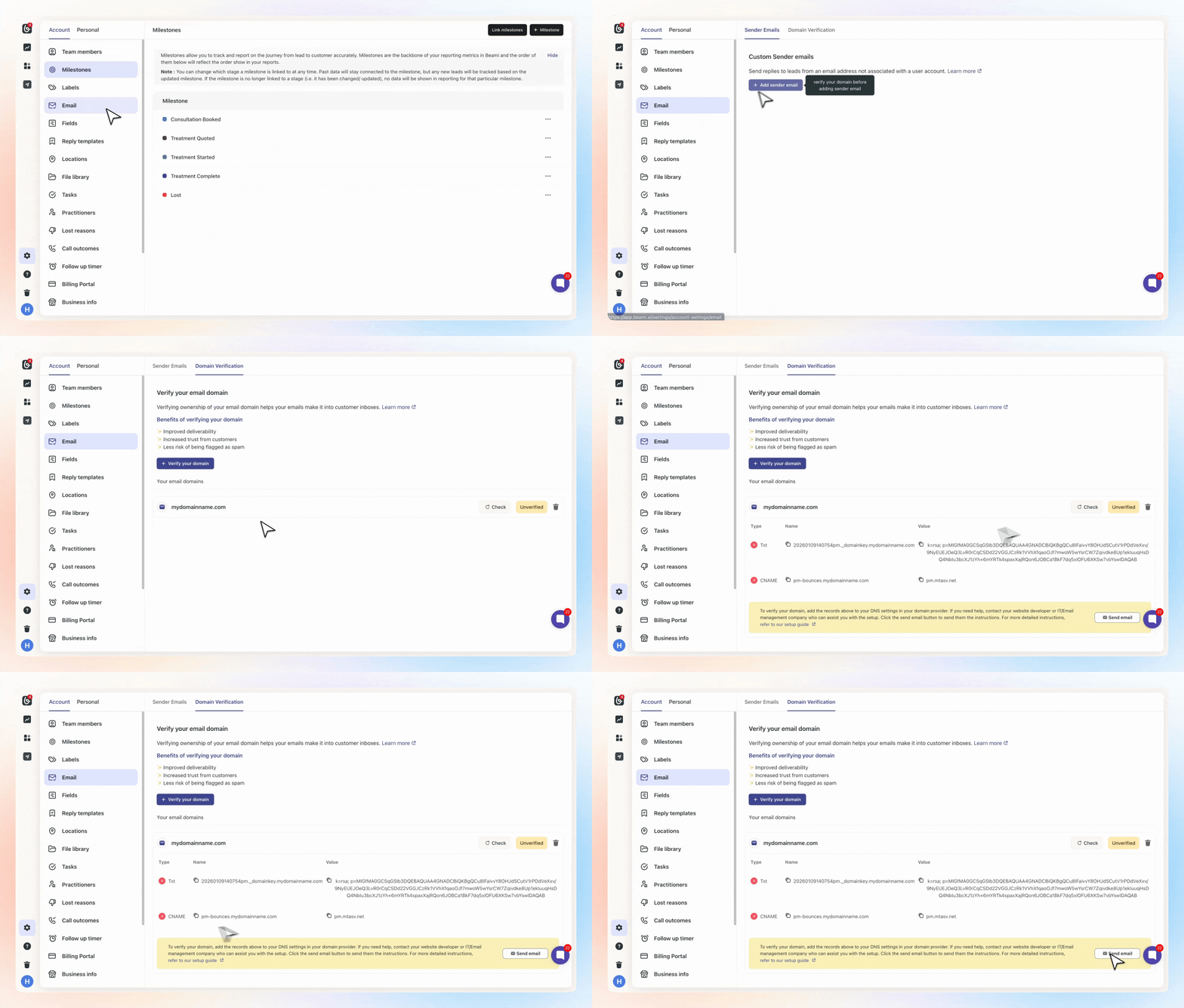
Copy the DKIM & Return-Path values provided.
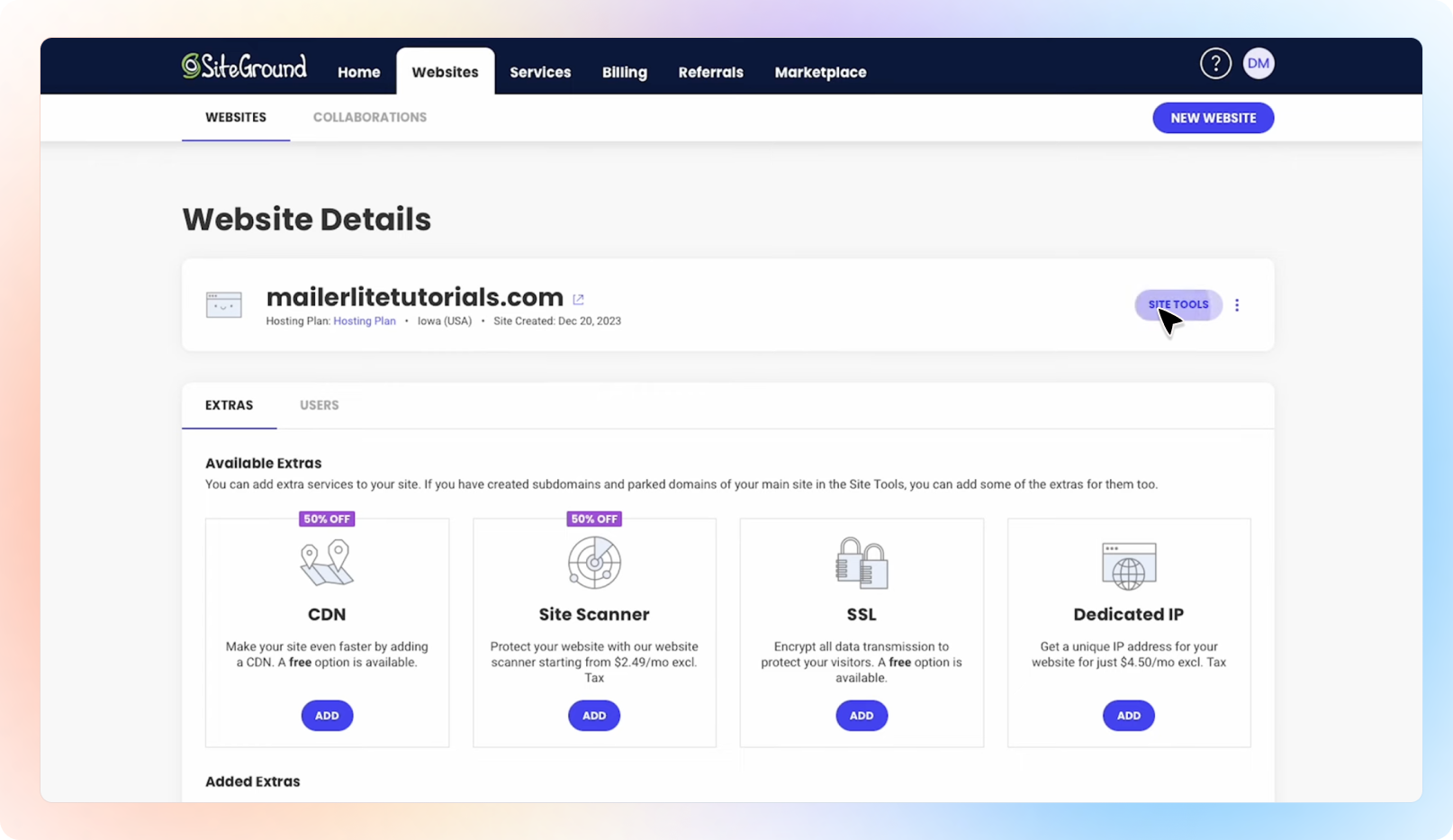
✅ Go to the place where you bought your domain: Head to https://my.siteground.com/ and log into your account.
Under Websites, click “Site Tools” for the domain you're verifying.
Go to Domain > DNS Zone Editor in the left-hand menu.
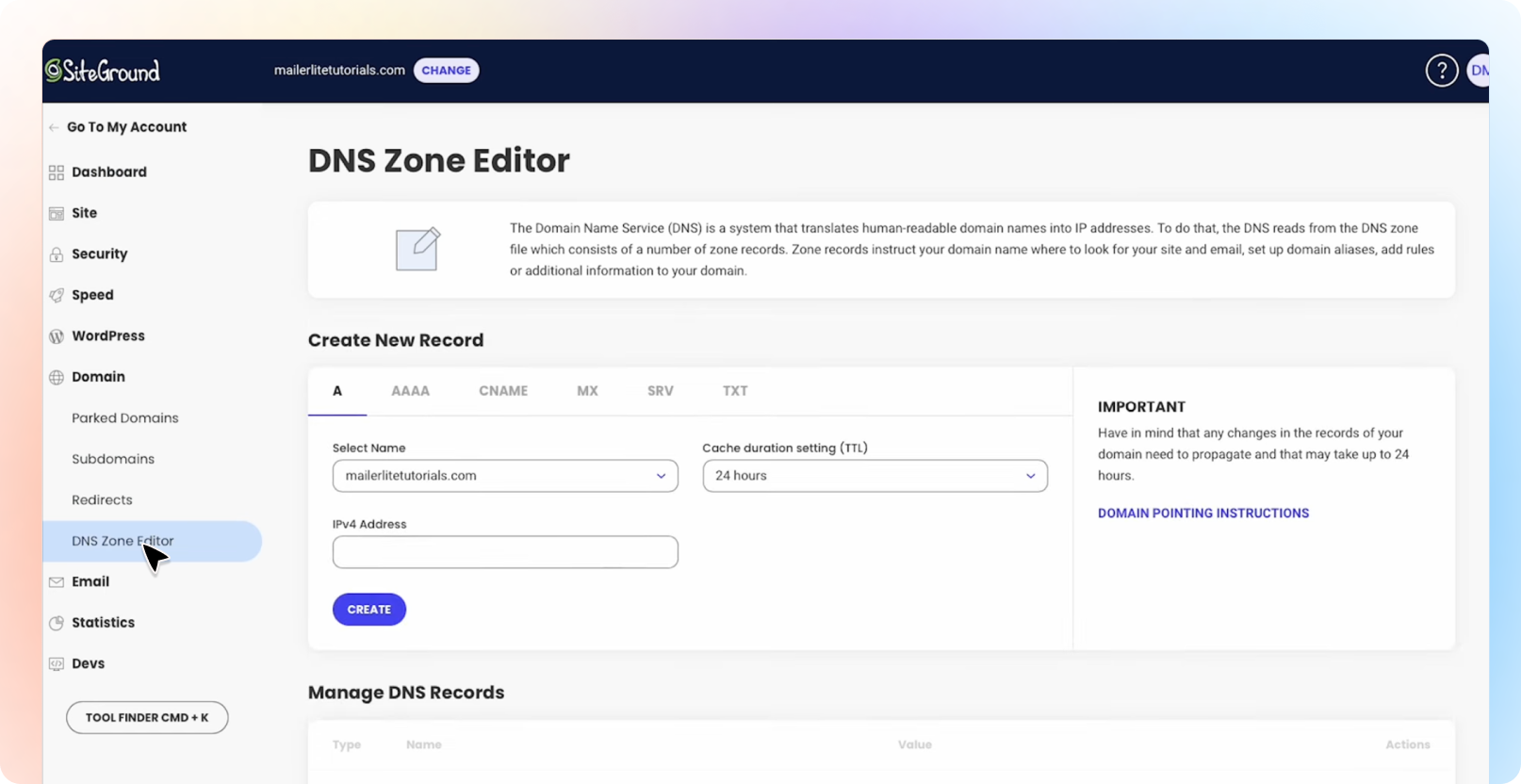
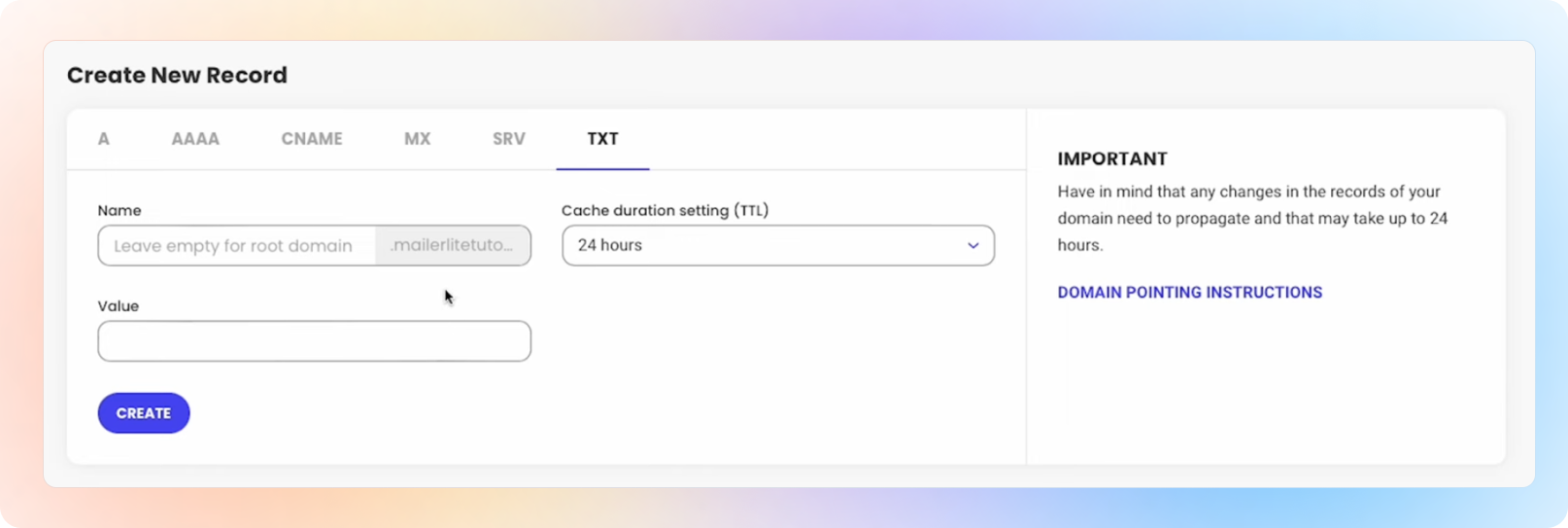
Type: TXT
Name/Host: (e.g. numberpm_domainkey – copy from Beami)
Value: (A long DKIM key – copy from Beami too)
TTL: Default is fine
Click Create
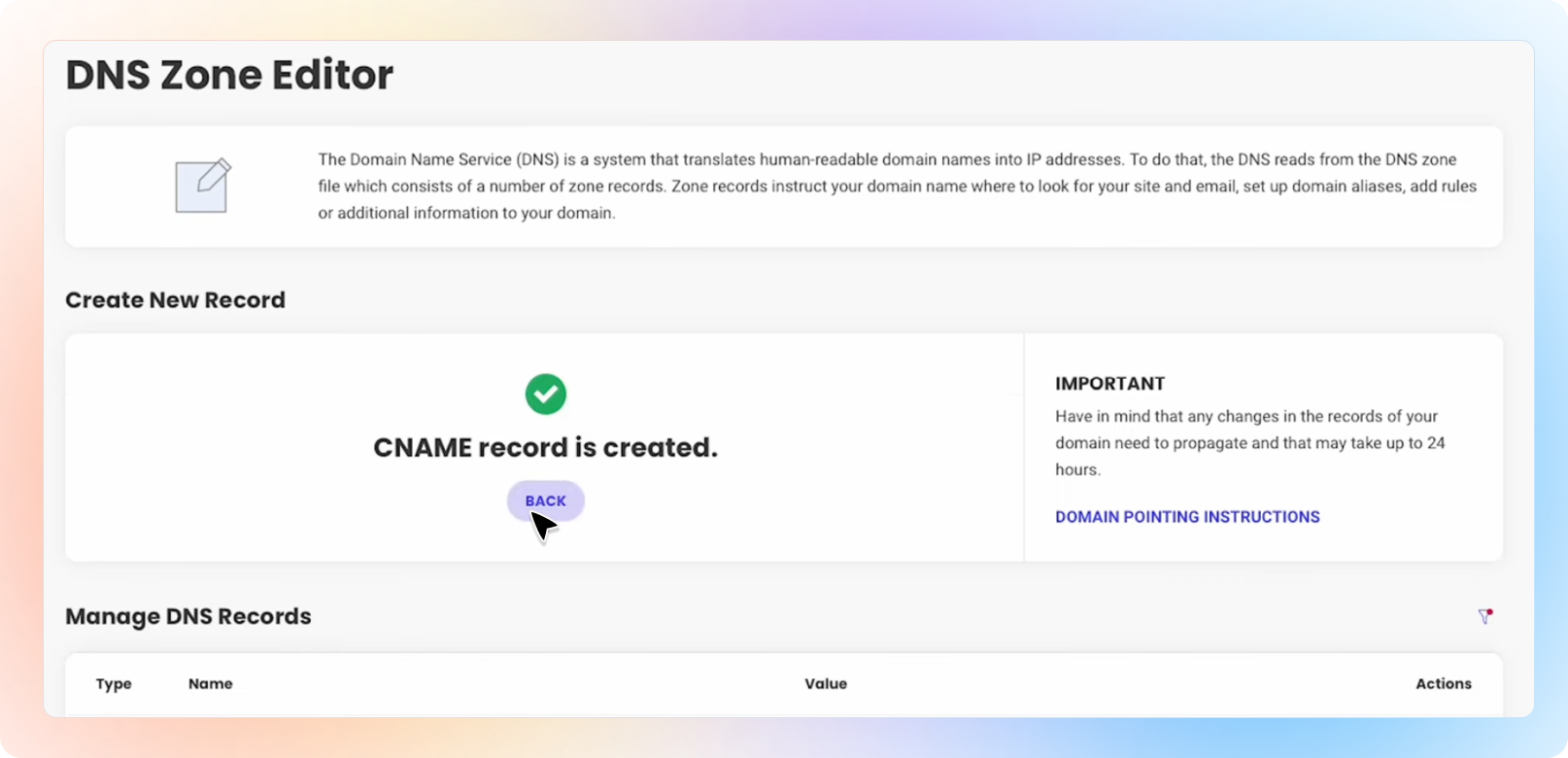
To add the CNAME, click “Back”
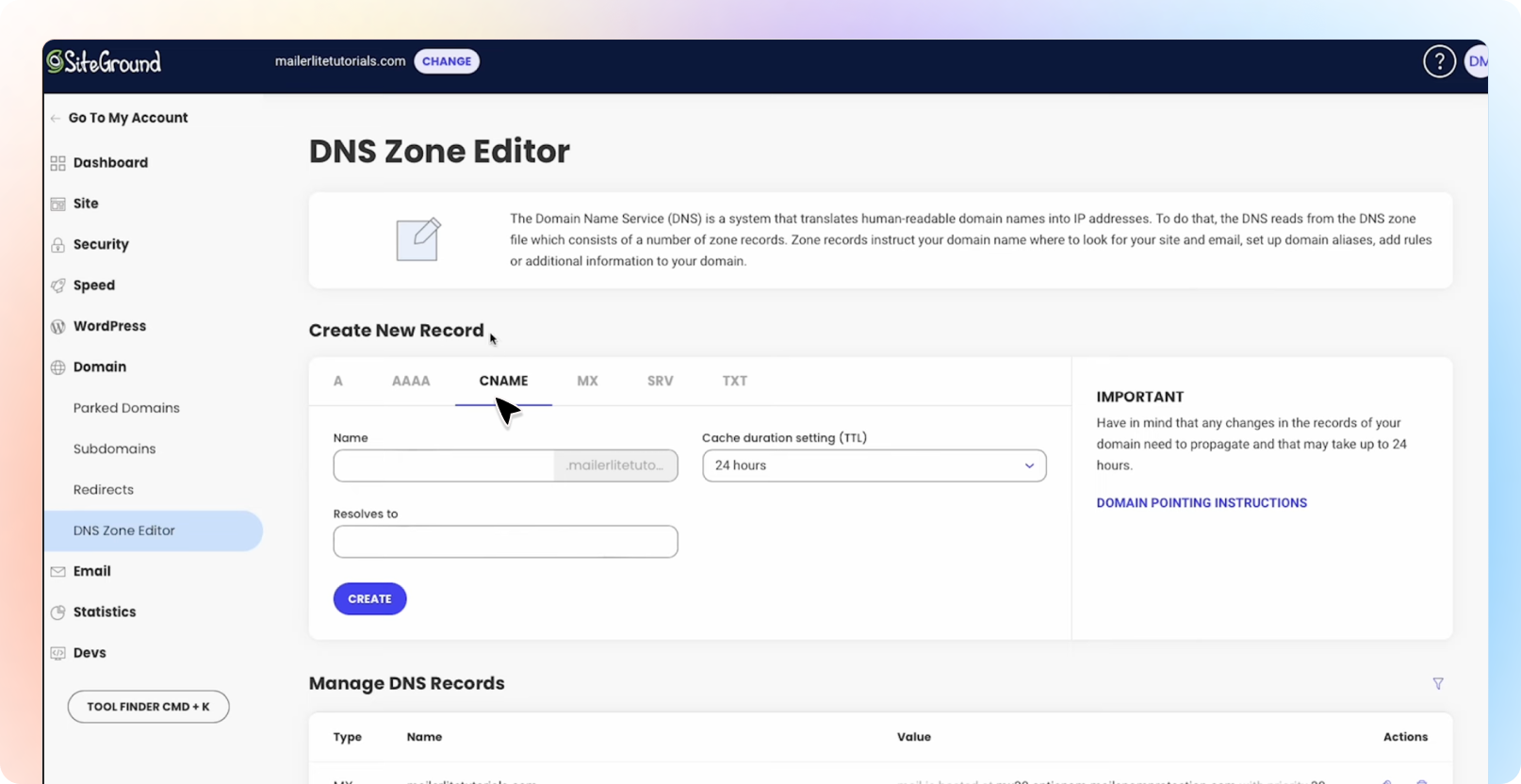
Type: CNAME
Name/Host: e.g. pm-bounces (copy from Beami)
Value: something like pm-bounces.Beami.ai (copy from Beami)
TTL: Default is fine
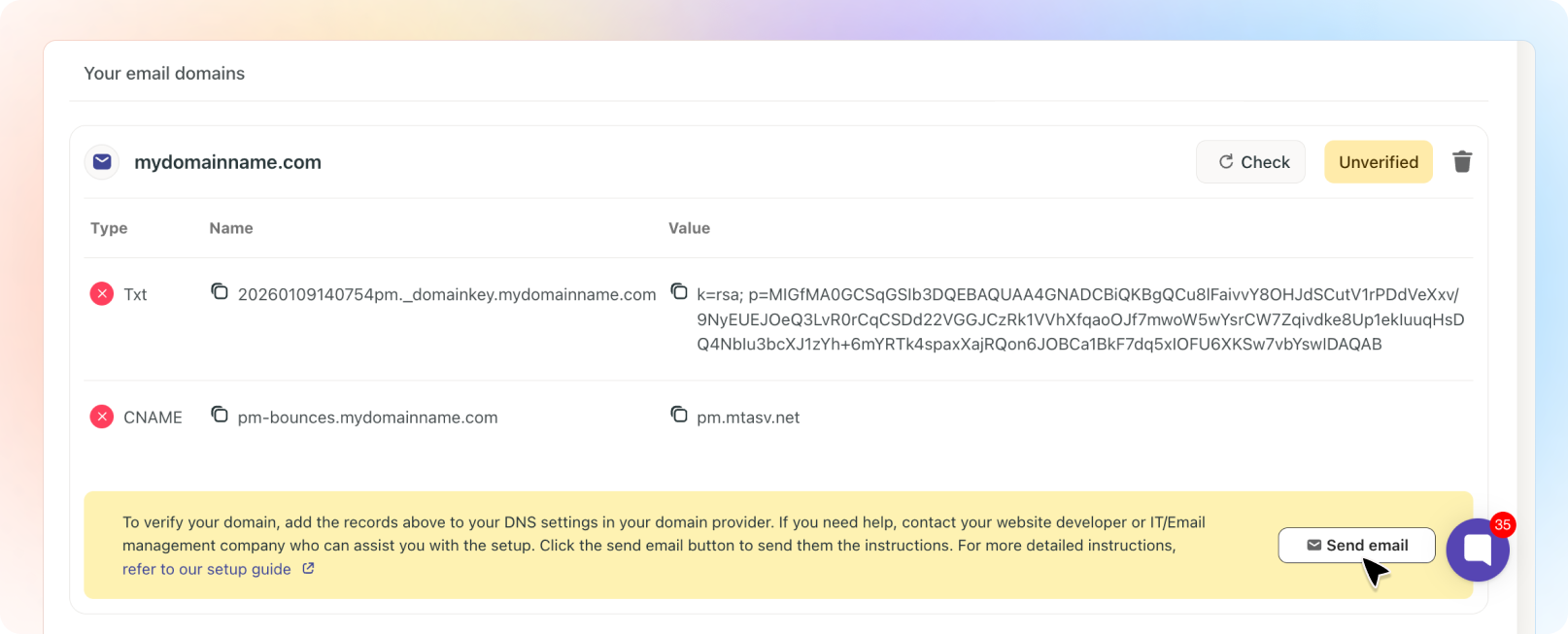
Click Create
🎉 You’re Done!
Once verified, your emails will be authenticated and trusted by inboxes, improving deliverability and keeping communication professional.
Still not sure?
Just ask Beami’s support team at [email protected], or your domain provider’s support. They can often walk you through it or do it for you.
Make Sure Your Emails Land Where They Should: Verify Your Domain!
Ever wonder why some emails land straight in the inbox, while others end up lost in the spam folder?