If you run ads on Google and want to track what happens after someone becomes a lead, you can connect your Google Ads account to Beami.
This lets us send updates when:
A new lead comes in
A lead moves through your stages (like "Consultation Booked" or "Treatment Started")
✅ Go to Marketing > Ad Tracking in Beami.
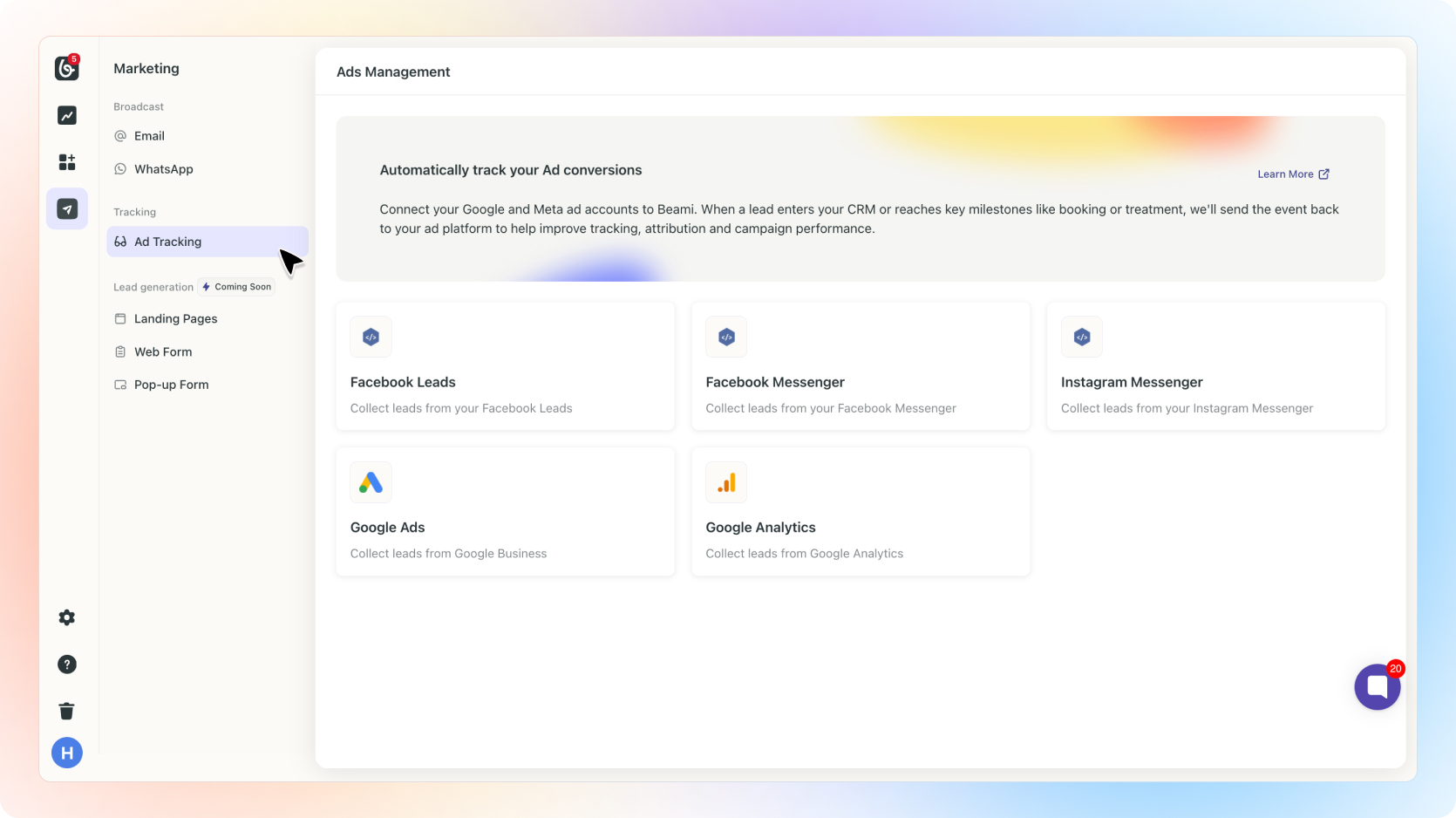
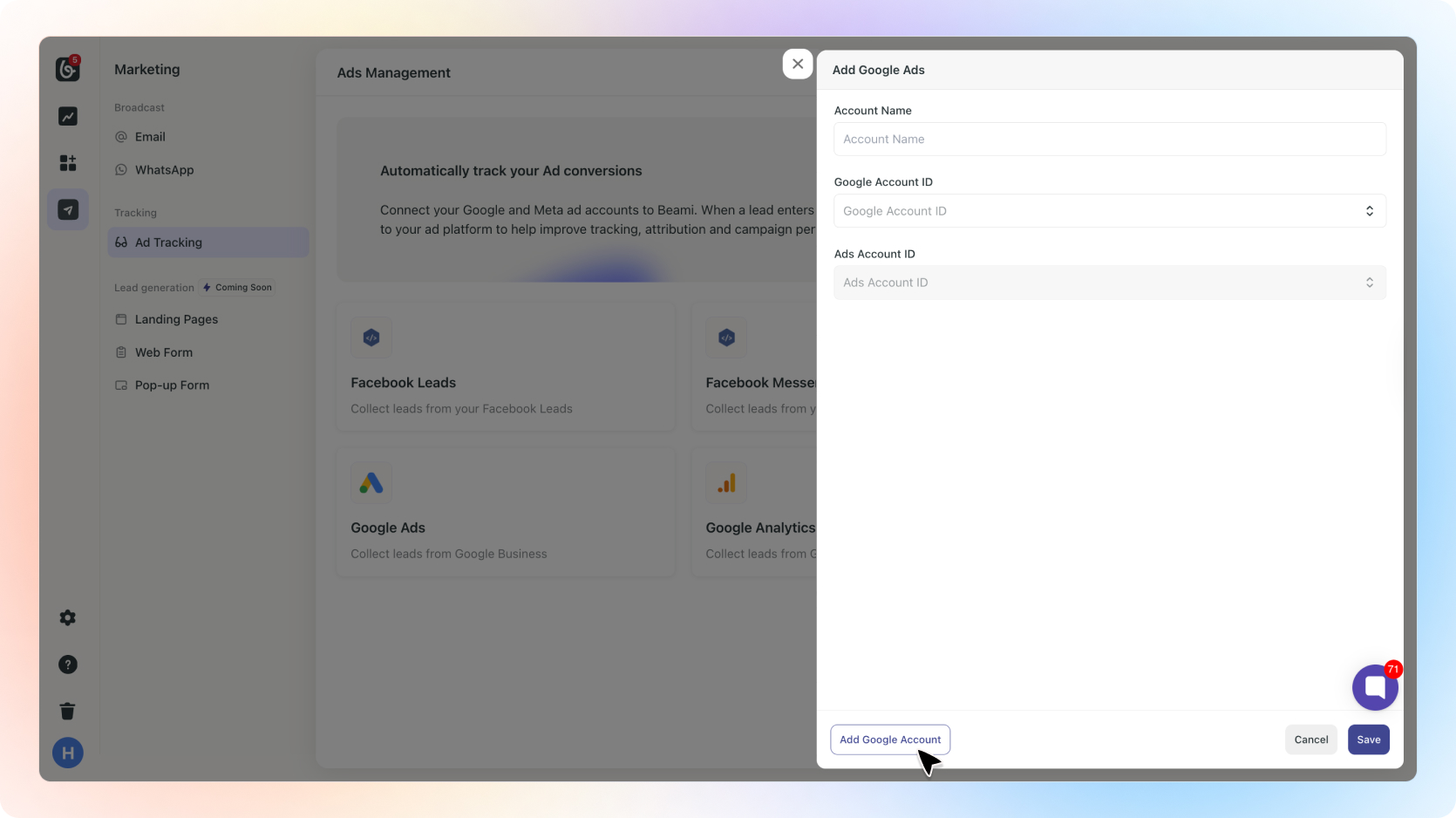
✅ Under Google Ads, click “+ Add Account”.
✅ You’ll be taken to Google’s login page.
✅ Choose the Google account you use for ads.
✅ Give permission to allow Beami to send conversion data.
✅ After login, you’ll return to Beami.
✅ If your Google account has multiple ad accounts, choose the one you want to use.
✅ Click “Save”.
Beami sends the following to Google Ads:
New lead events (when someone becomes a lead)
Stage updates (like "Consultation Booked", "Treatment Started", or "Treatment Finished")
Including:
• Stage name
• Treatment name
• Treatment value
That’s it. You’re all set.
Need help?
Reach out through [email protected]