If you use Google Analytics to track website performance, you can also use it to track what happens after someone becomes a lead in Beami.
To connect it, you’ll need:
A Measurement ID
An API Secret
✅ Go to analytics.google.com and log in.
✅ Click the Admin gear icon at the bottom left.
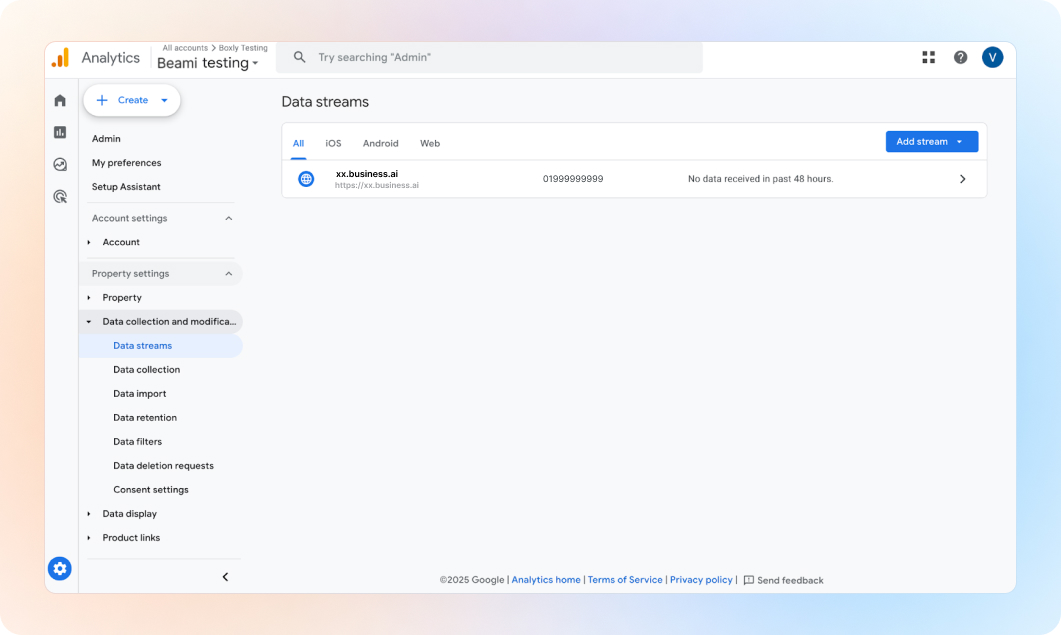
✅ Under Property, click “Data Streams”.
✅ Click your Web stream.
✅ Copy the Measurement ID shown at the top (starts with "G-").
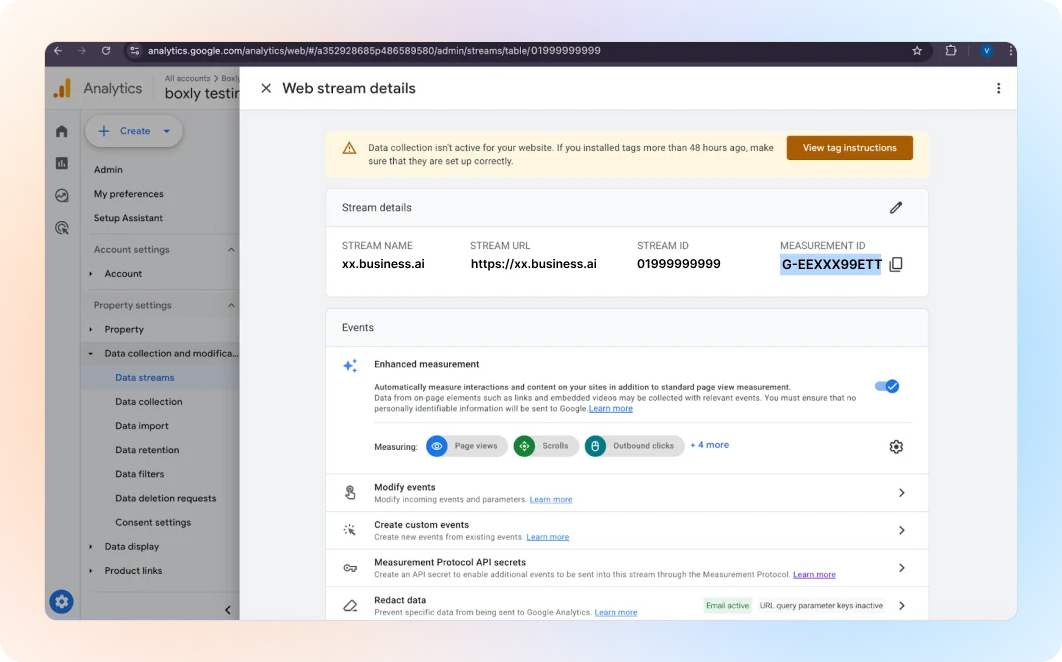
✅ In the same stream screen, scroll down to Measurement Protocol API secrets.
✅ Click Create or use an existing one.
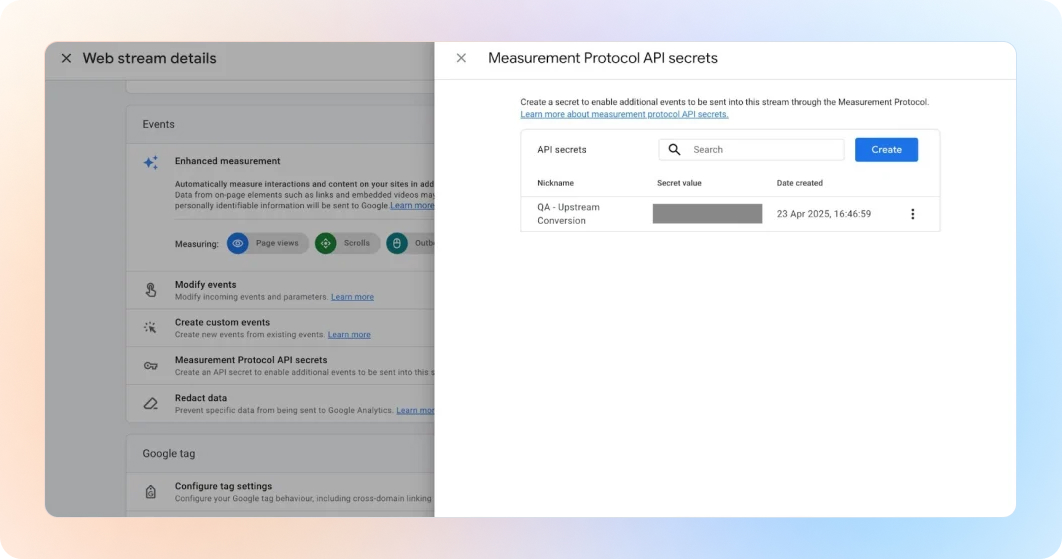
✅ Copy the secret value.
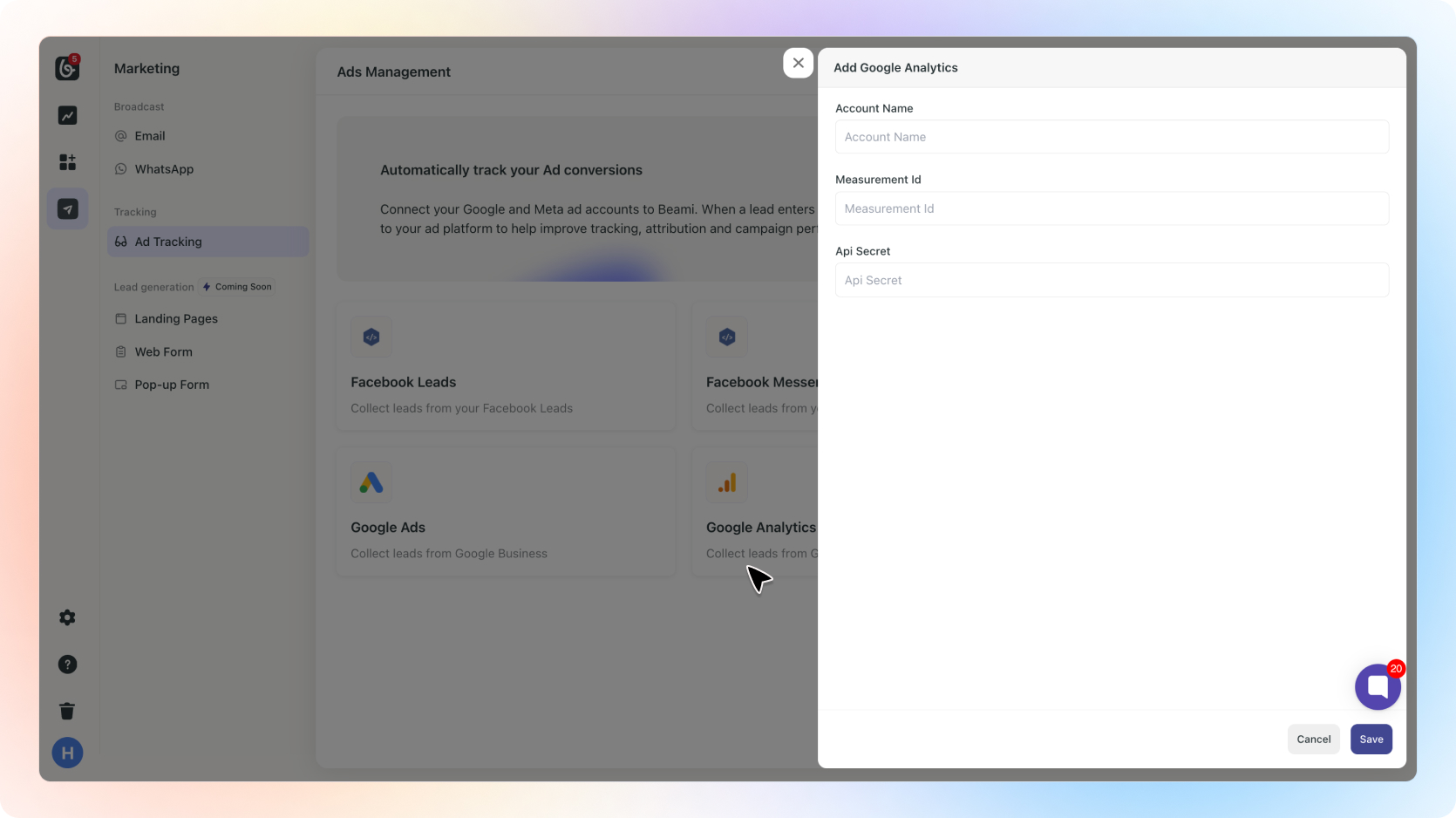
✅ Go to Marketing > Ad Tracking in Beami.
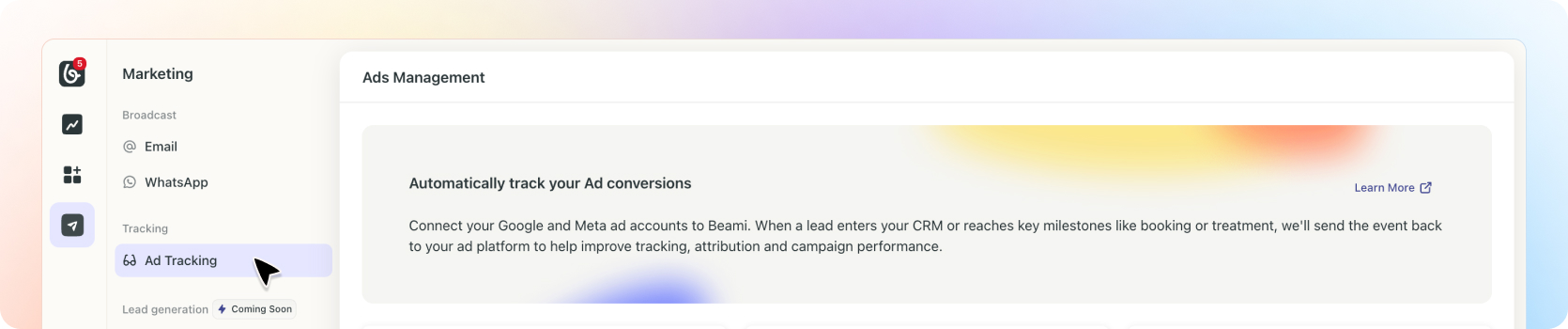
✅ Select “Google Analytics”
✅ Name the account & paste the Measurement ID and API Secret.
✅ Click “Save”.
Done! Beami can now send updates to your Analytics account when leads come in or progress through your stages.
Need help?
Reach out through [email protected]