If you collect leads through Facebook or Instagram ads, Beami can track how those leads perform.
You’ll need:
A Pixel ID
An Access Token
✅ Go to Facebook Events Manager.
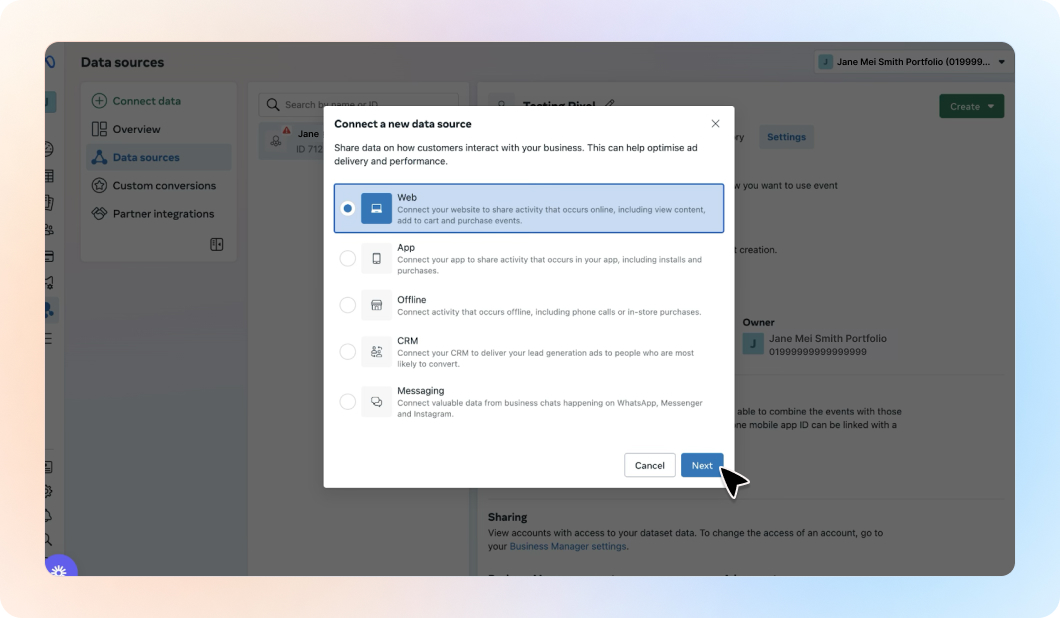
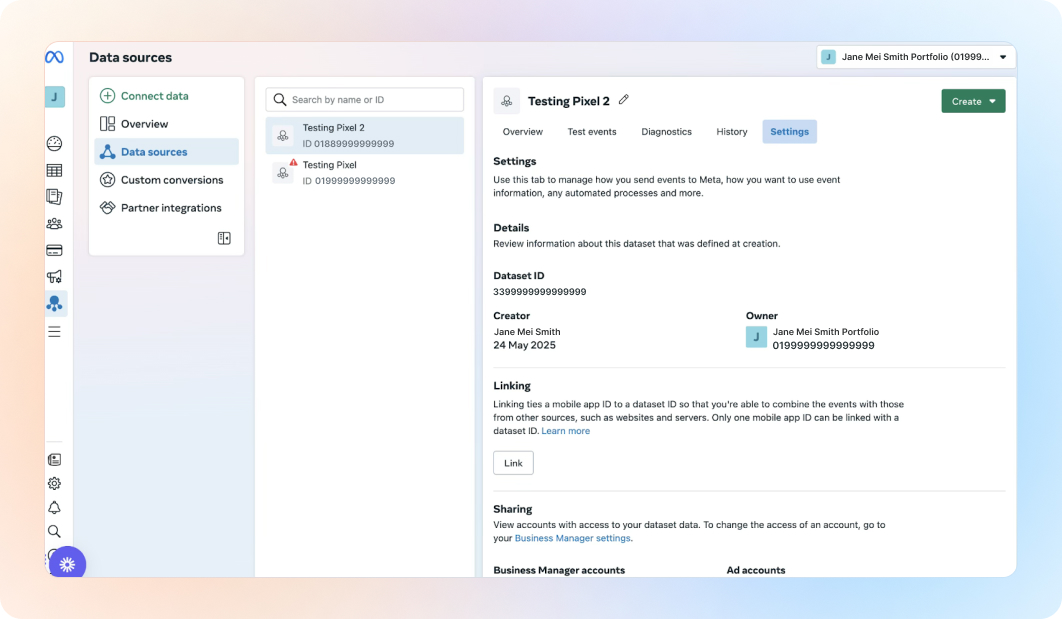
✅ Choose Web as your data source.
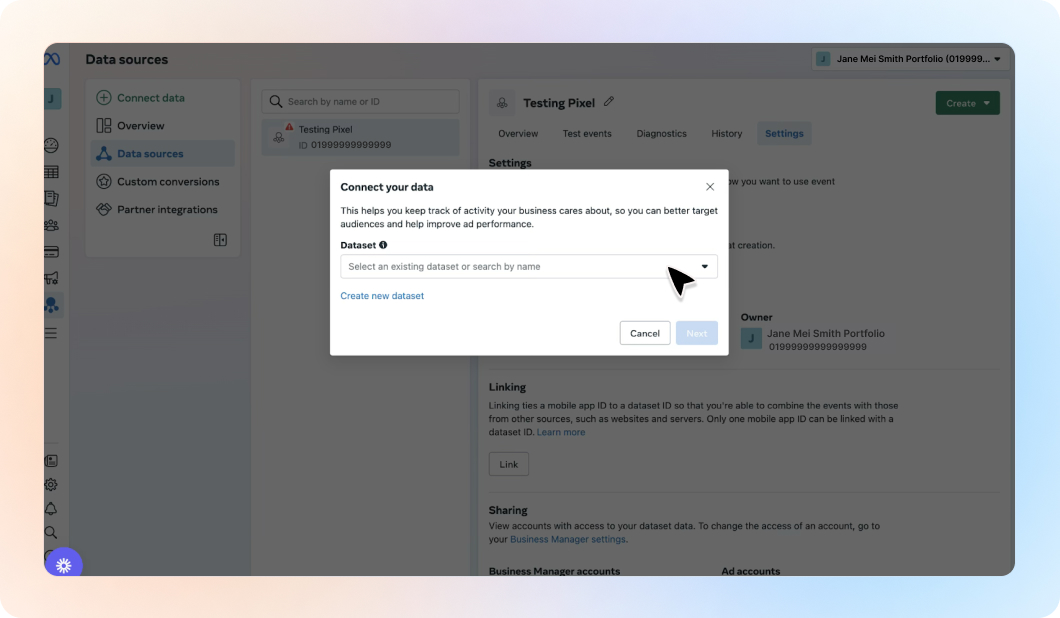
✅ Select your existing dataset or create one.
✅ Copy the Pixel ID at the top.
✅ You may see a setup window. Close it by clicking the X.
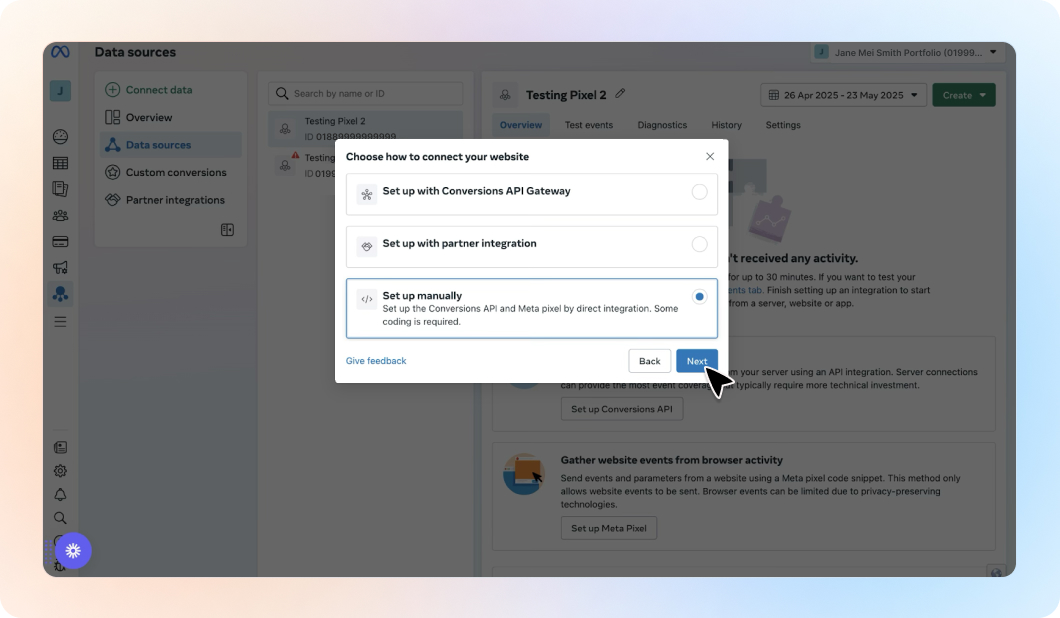
✅ Click the Settings tab.
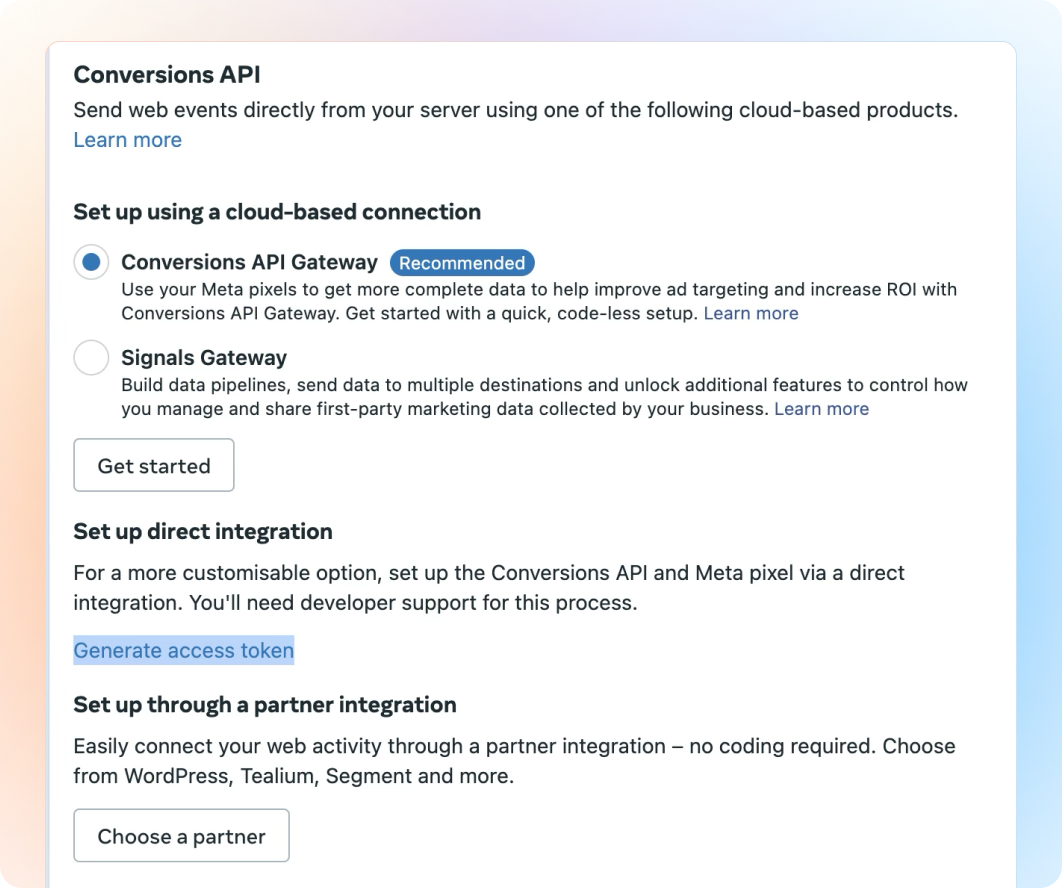
✅ Scroll to Conversions API.
✅ Click “Generate Access Token” and copy it.
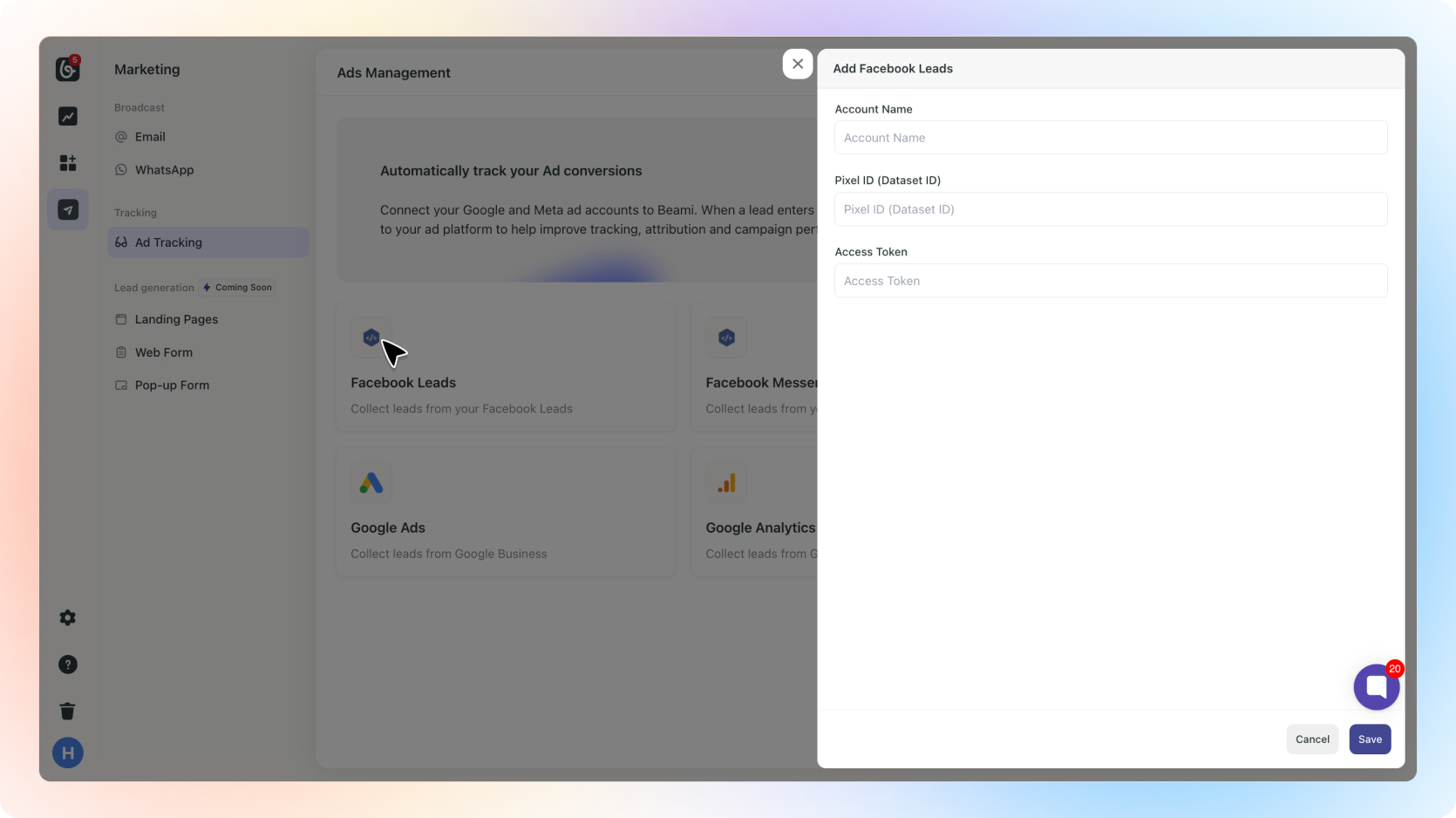
✅ Go to Marketing > Ad Tracking in Beami.
✅ On Facebook Leads, click “+ Add Account”
✅ Paste the Pixel ID and Access Token.
✅ Click “Save”.
Done! Beami will now send updates to Facebook when leads come in or progress through your stages.