If leads message you directly on Facebook or Instagram, Beami can track them too.
You’ll just need an Access Token.
✅ Go to Facebook Events Manager.
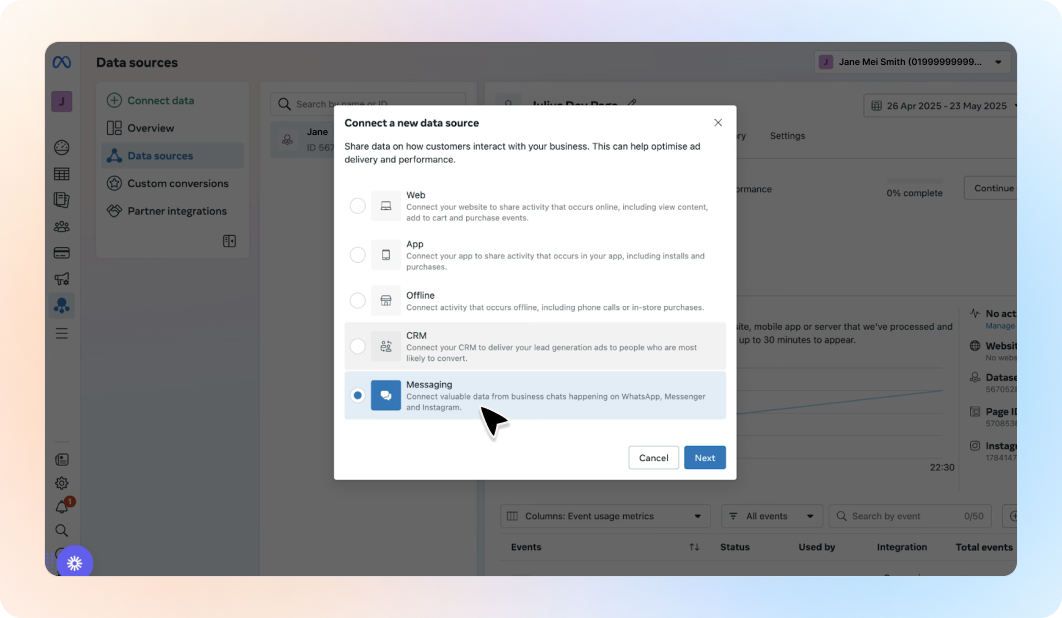
✅ Choose Messaging as the data source.
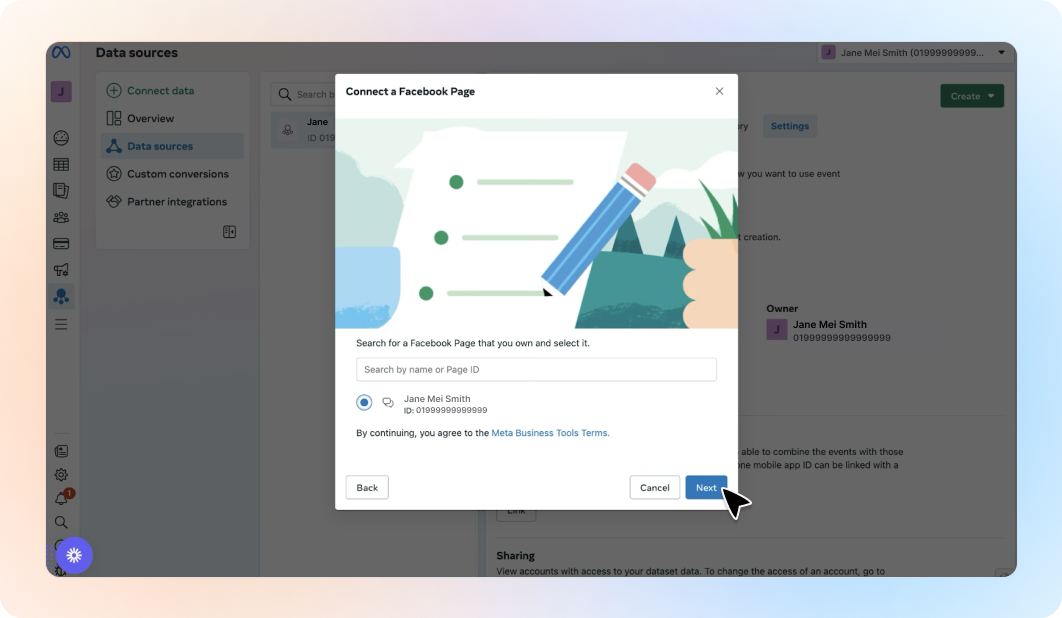
✅ Connect your Facebook Page.
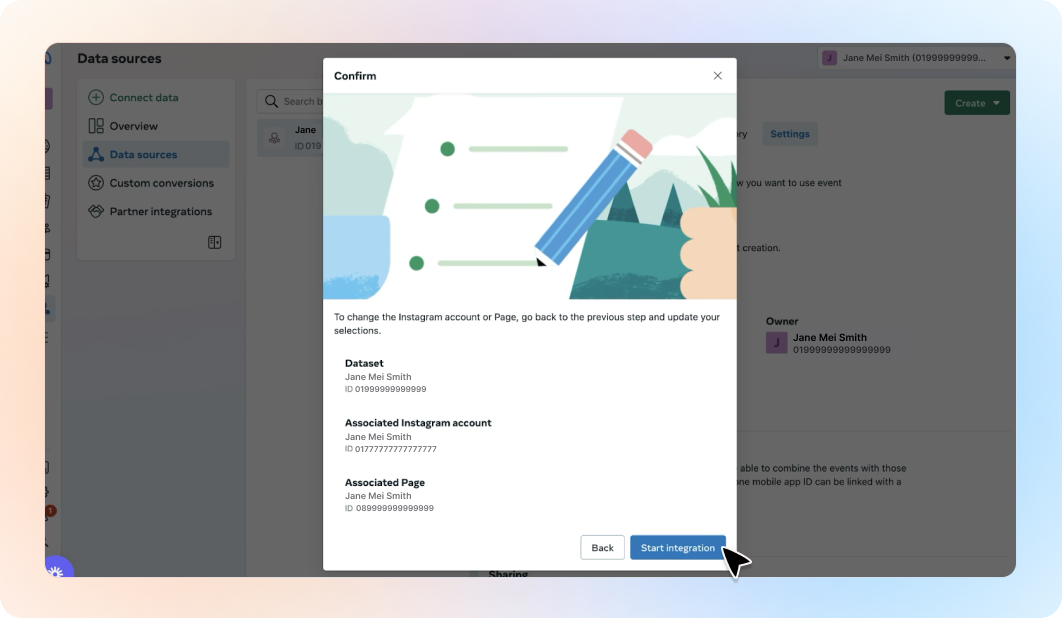
✅ Follow the prompts to create or select a dataset.
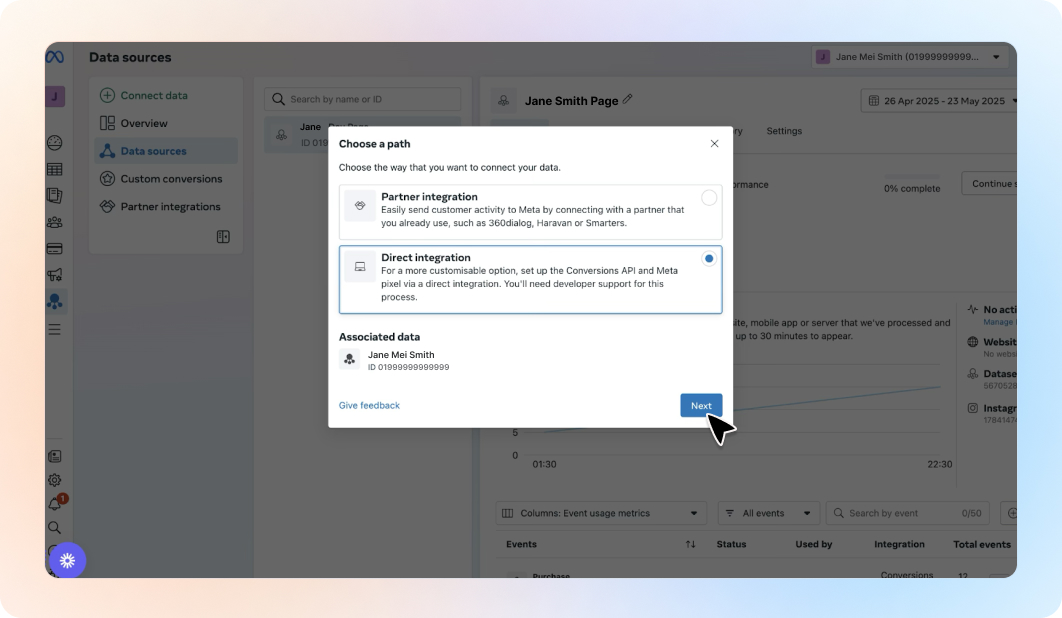
✅ Open the dataset.
✅ Click the Settings tab.
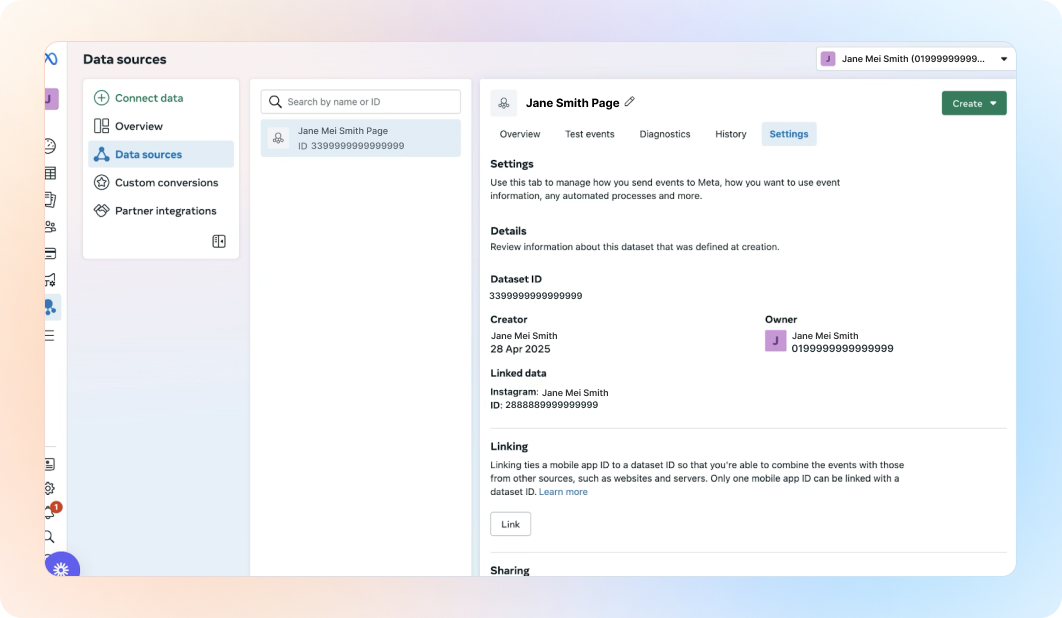
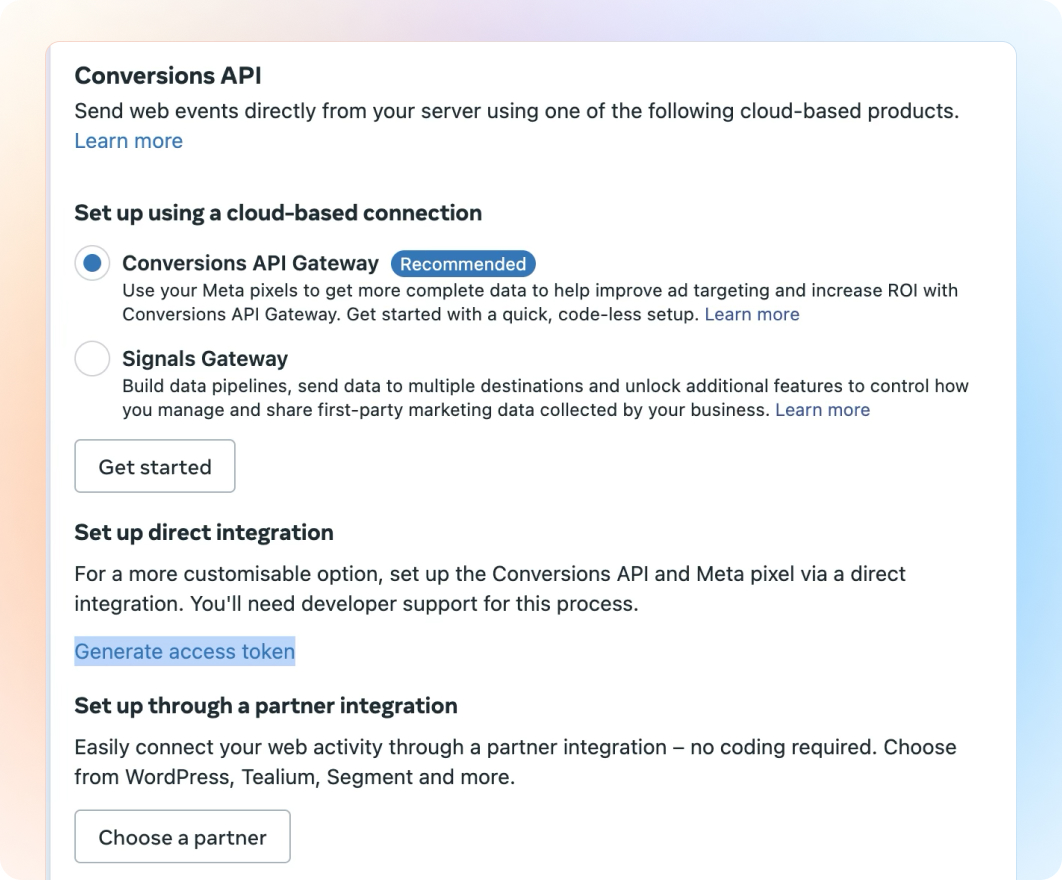
✅ Scroll to Conversions API.
✅ Click Generate Access Token.
✅ Copy the token.
✅ Go to Marketing > Ad Tracking in Beami.
✅ Select “+ Add Account” on Facebook Messenger/Instagram Messenger
✅ Paste the Access Token and name the account.
✅ Click “Save”.
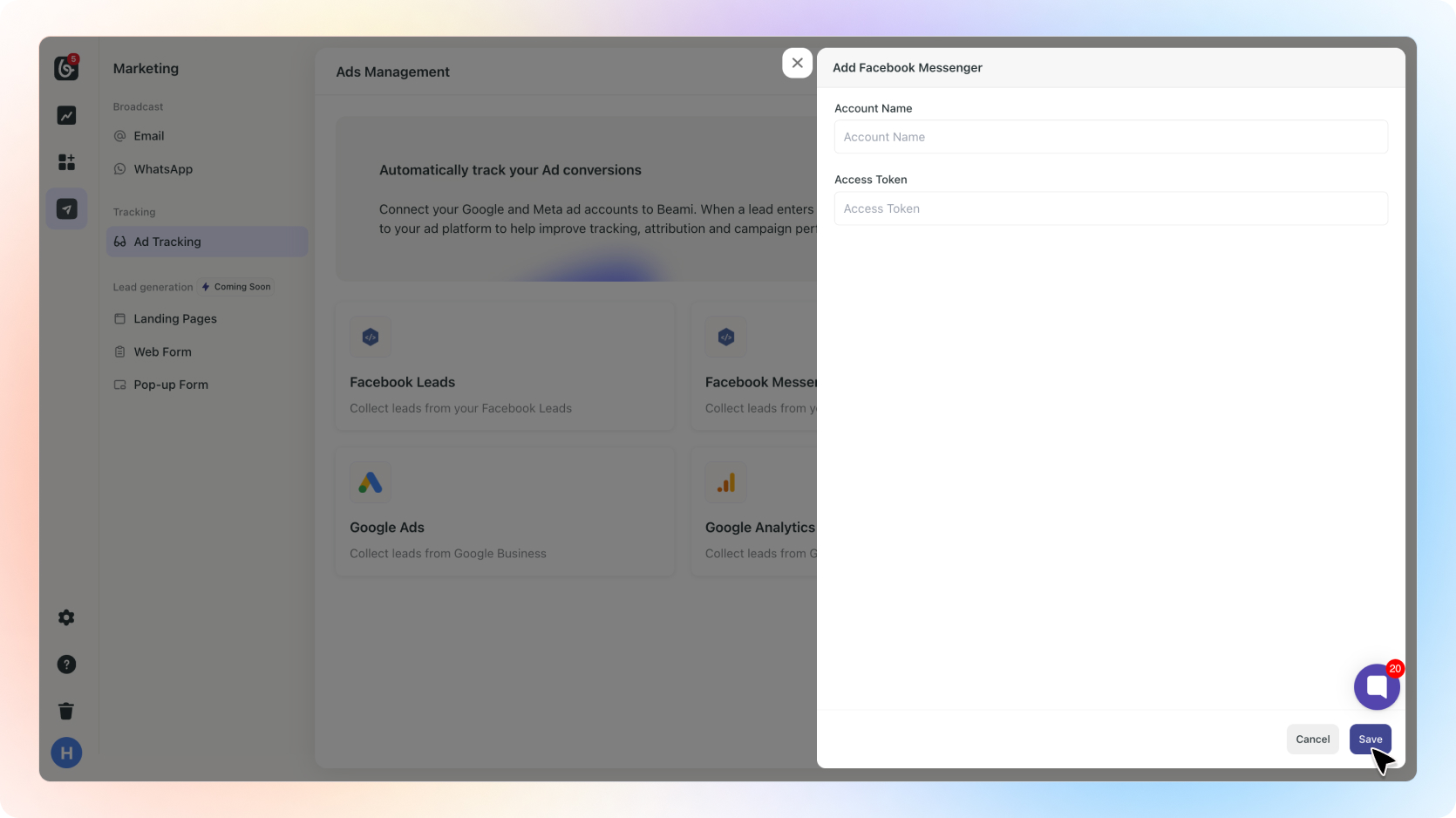
Done! Beami will now send events when Messenger leads come in or move through your stages.