Don’t miss any notifications from Beami!
With that, we need to make sure your lead notifications don't end up in spam.
We'll walk you through how to add Beami's emails to your Safe Senders list in Gmail Gsuite and Outlook Web.
✨When we make a change like changing from EnquiryBox to Beami, sometimes emails can get caught in spam.
There are two ways to add an email address to your Safe Senders list in Outlook.
✅ To add a Safe Sender from your reading pane
Open your Outlook
Open the message from Beami
Right-click the message then click "Junk"
Click "Never Block Sender" to allow emails from Beami's email address
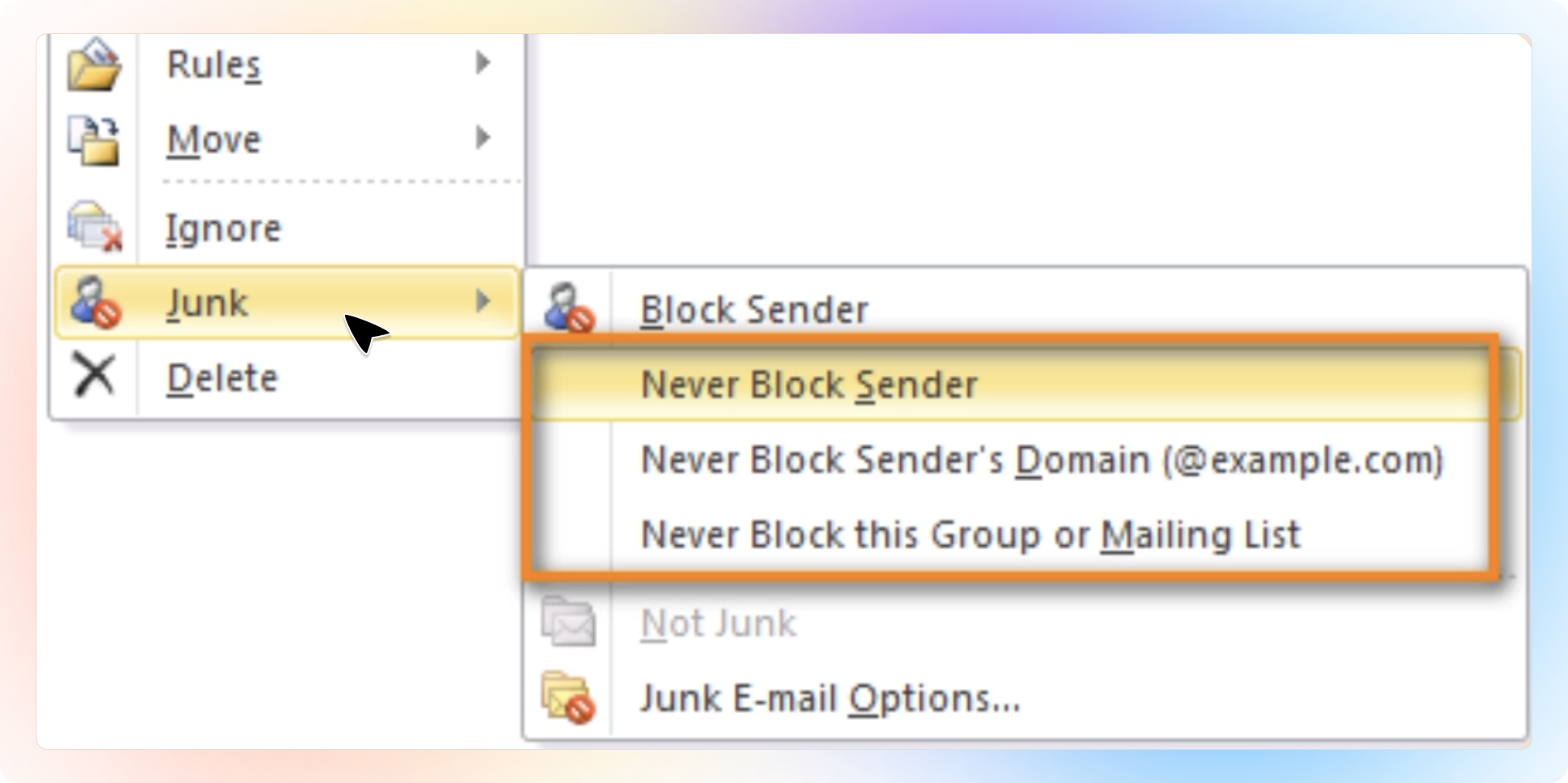
✨When you click on an email in your inbox, you can see the message and open any attached files right in the Reading Pane.
✅ Add to the Safe Senders list
Open your Outlook
Go to the Home tab, in the Delete group, click "Junk"
Then click "Junk E-mail Options" in the dropdown list
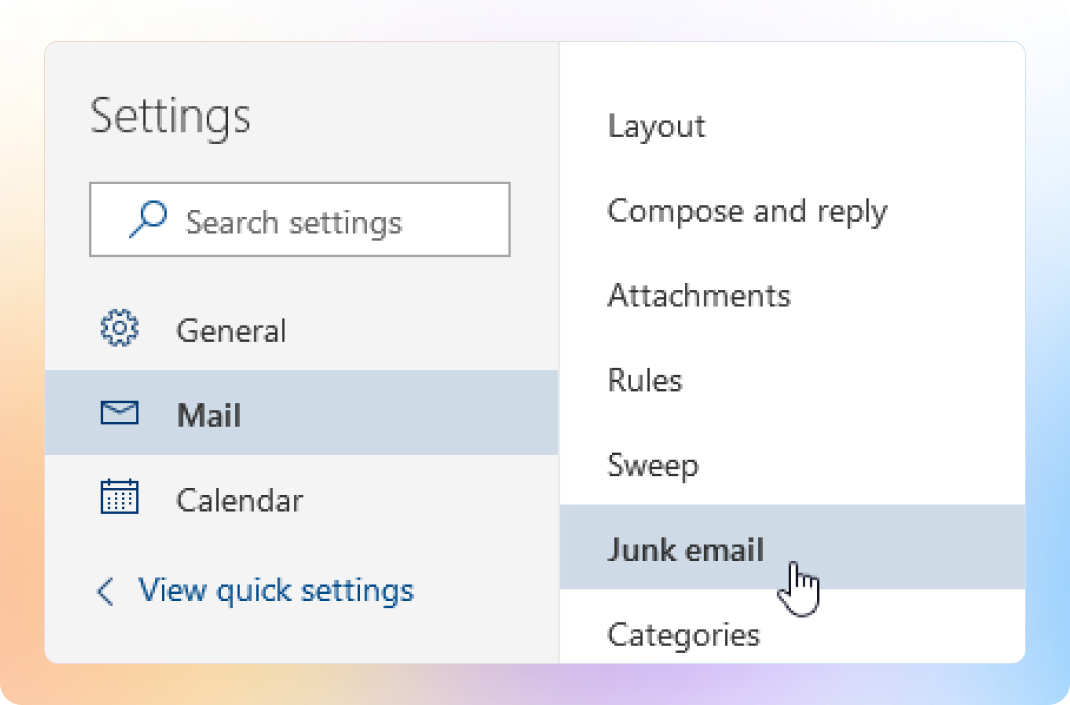
This will open the options - Go to the "Safe Senders" tab, click "Add"
In the Enter an e-mail address or Internet domain name to be added to the list box, type in Beami's email address: [email protected]
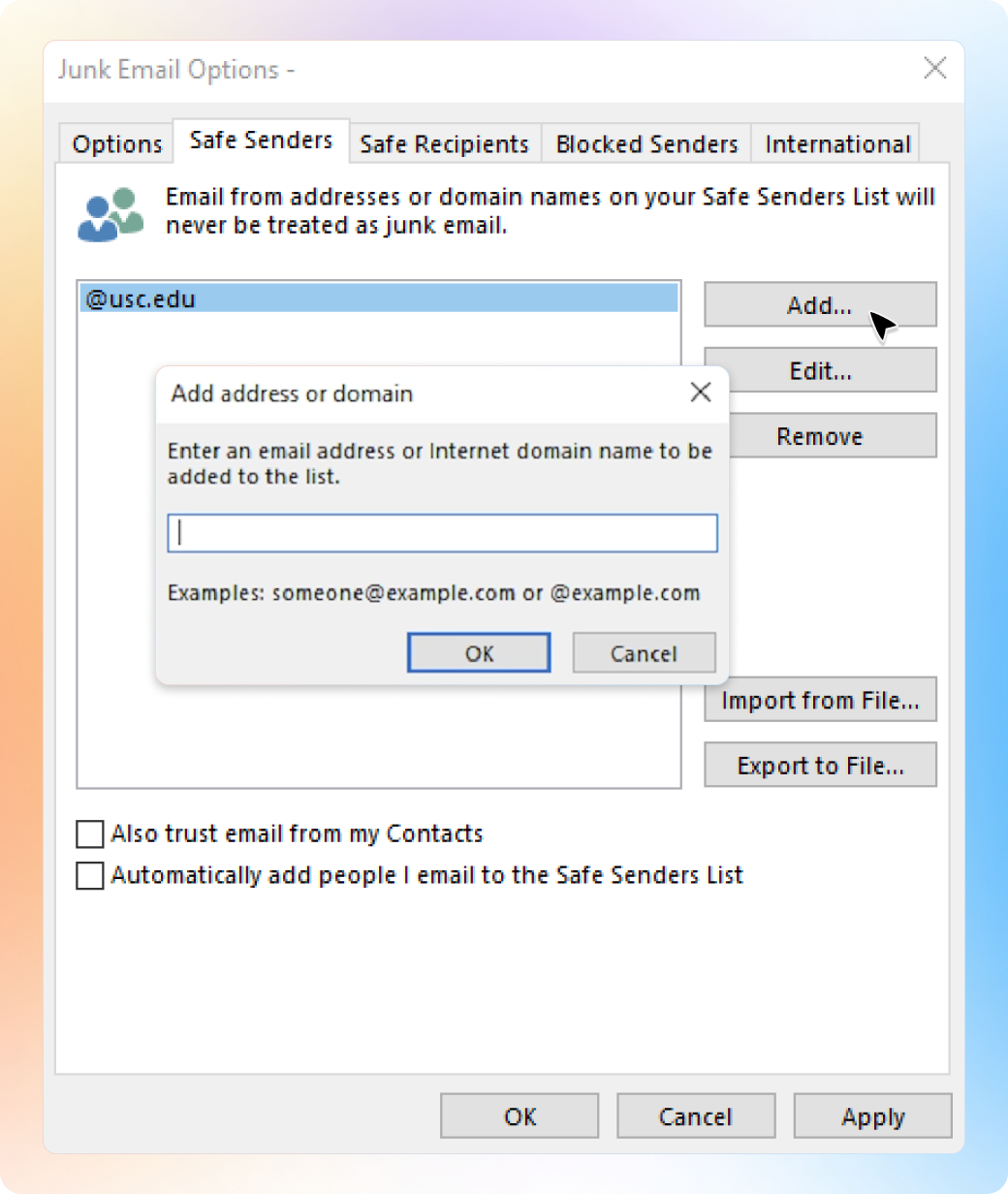
Click OK
🎉 And that's it!
To add Beami to your Safe Senders list in Gmail you can create a filter or add us to your contacts on Gmail.
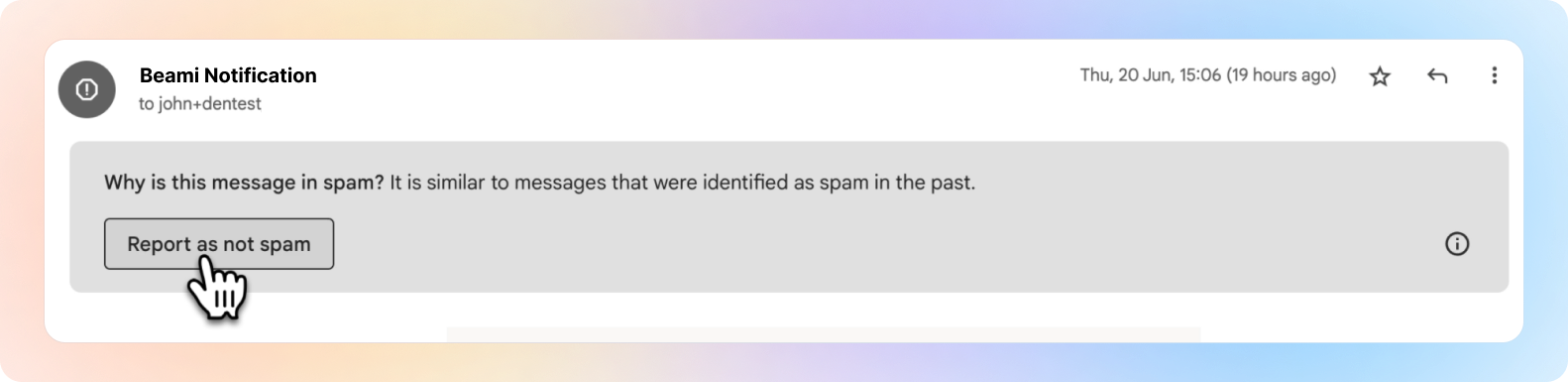
If Beami is already in your Spam folder you can click "Report not Spam".
✅ To add Beami to your Safe Senders list with a filter:
Go to Gmail.com and log into your account.
Click Settings icon then click "See all settings".
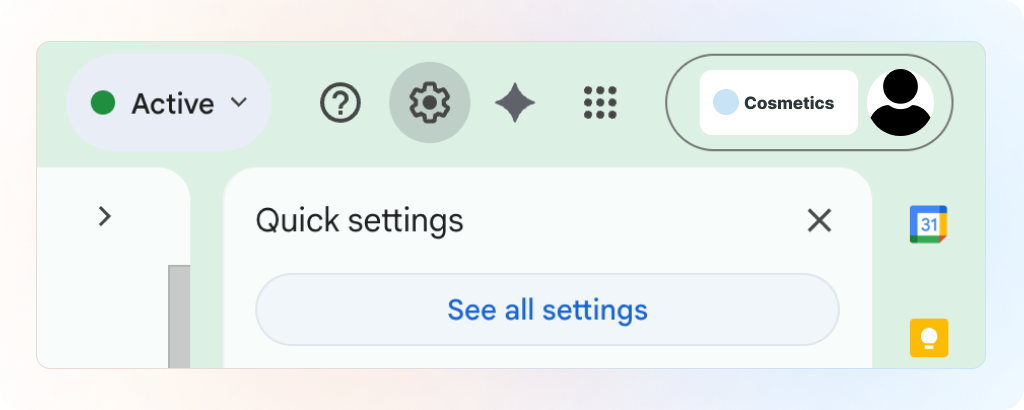
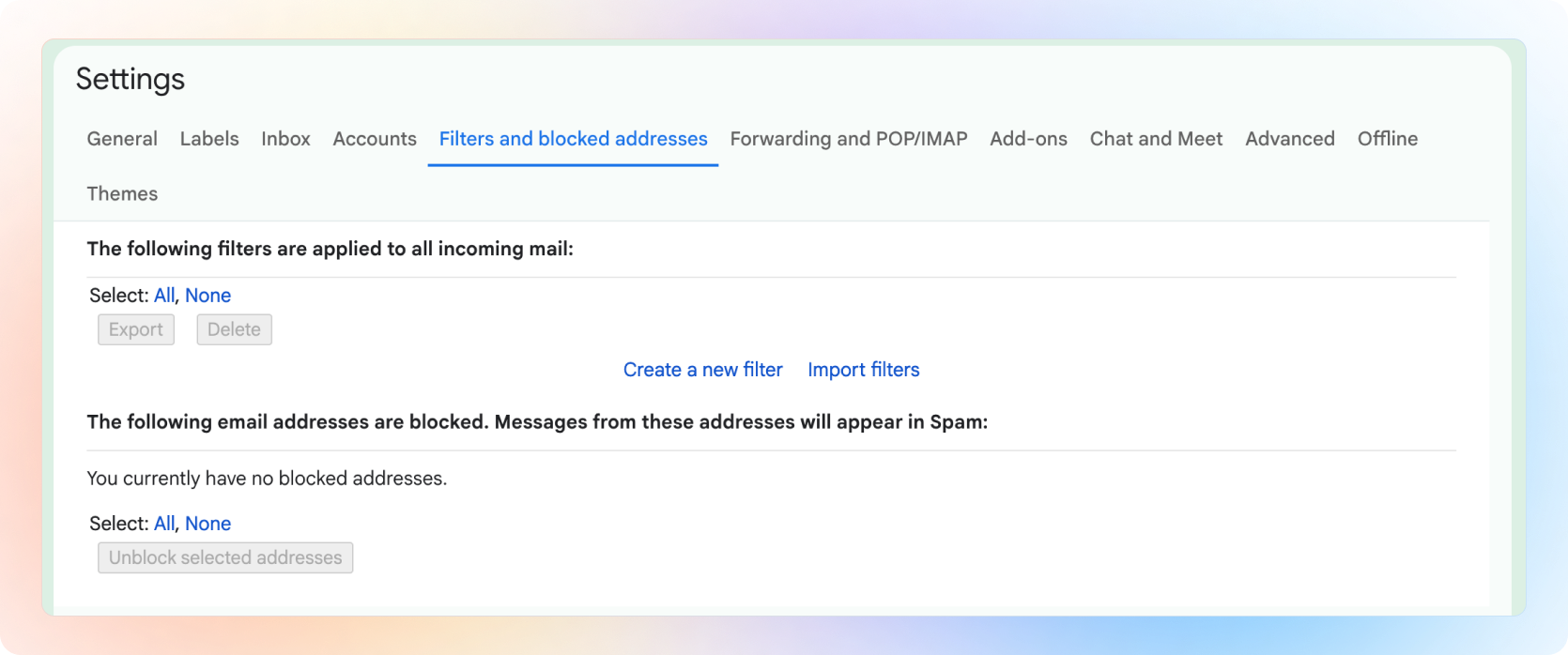
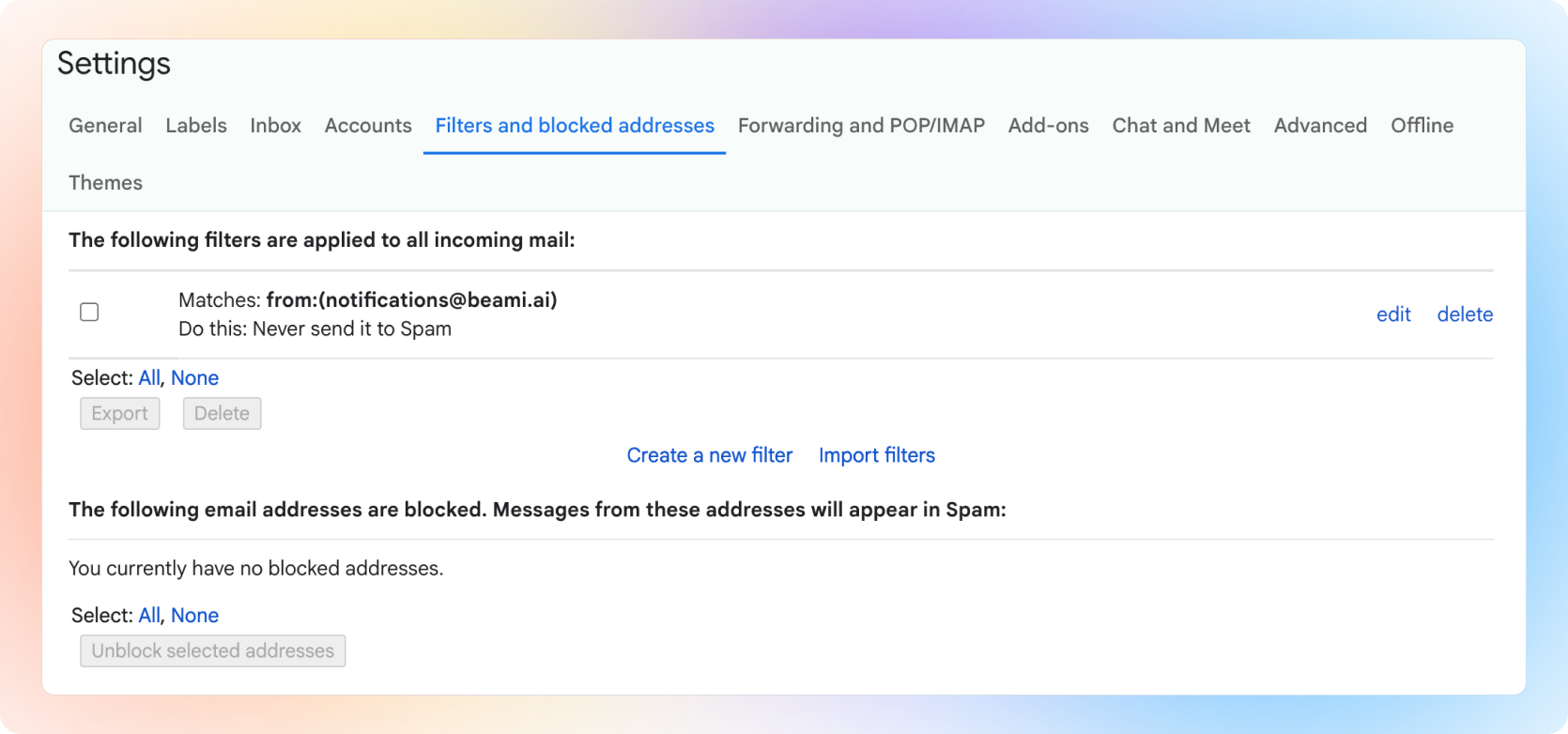
Click on the "Filters and Blocked Addresses" tab at the top.
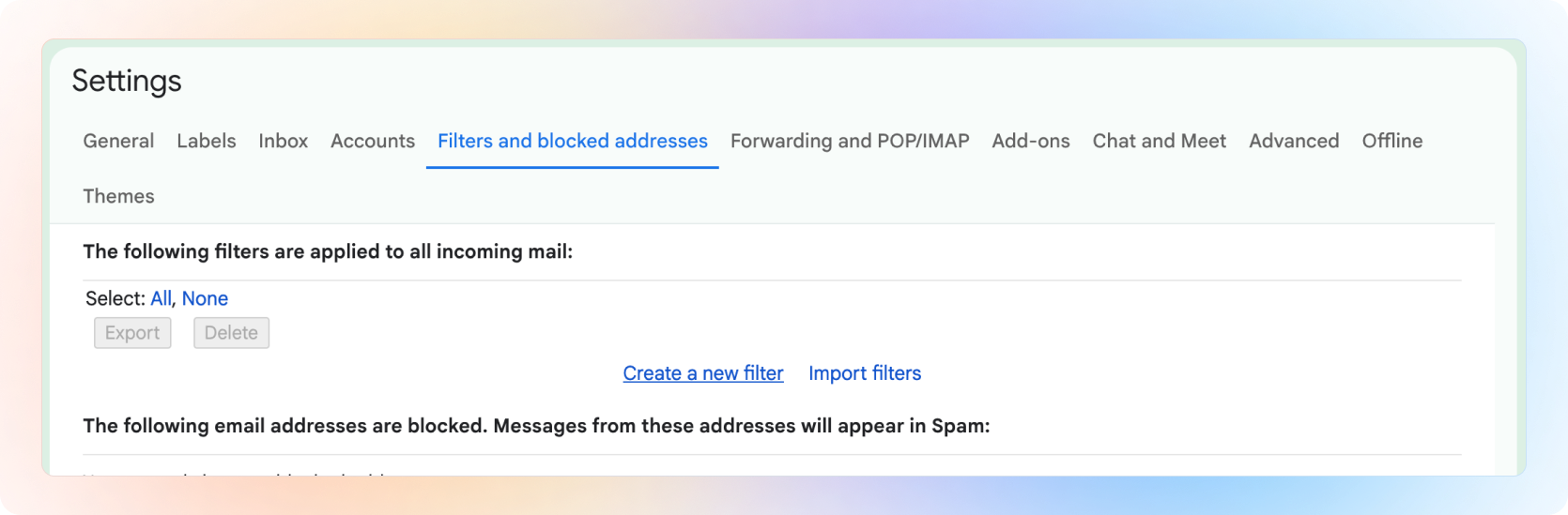
Click "Create a new filter".
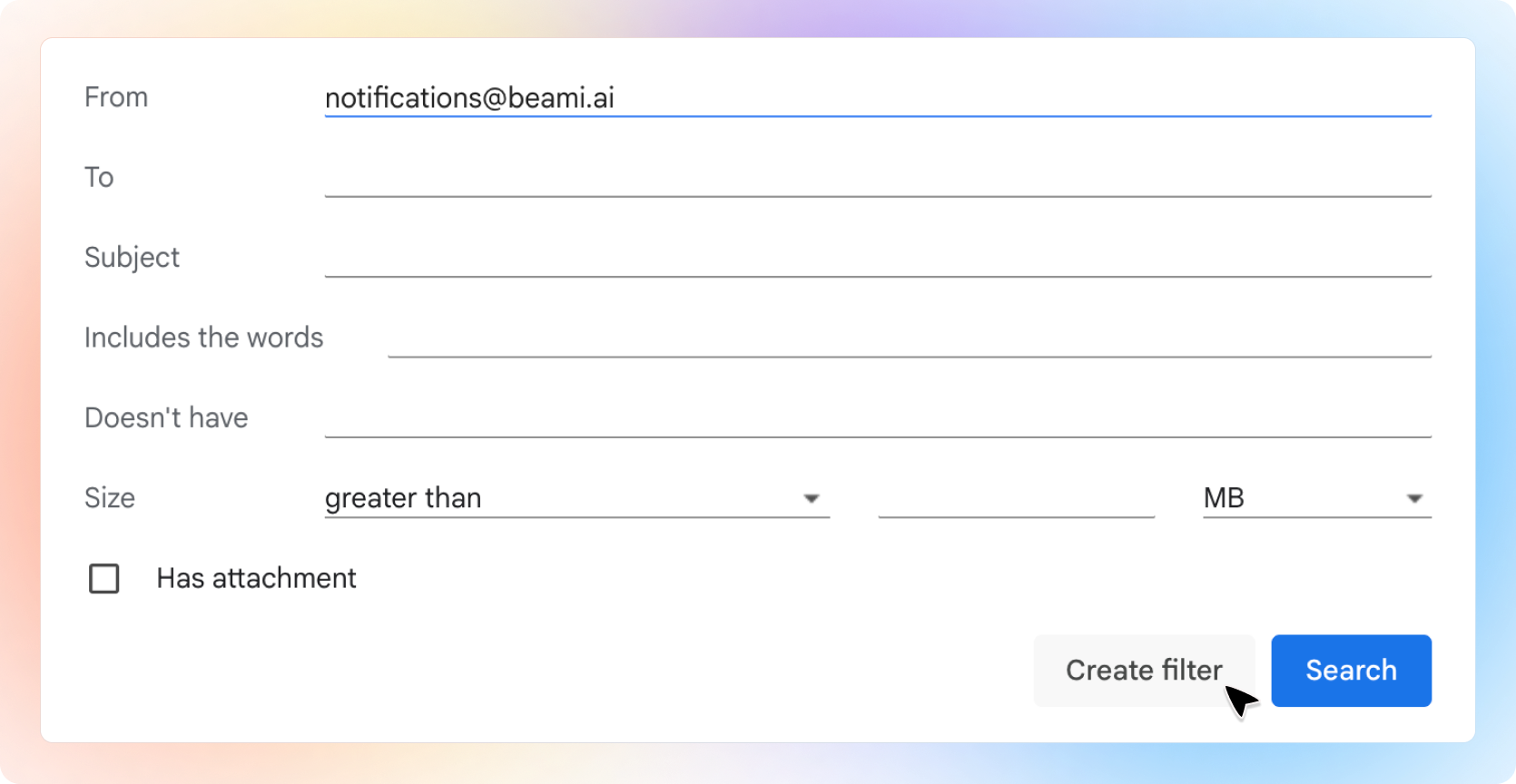
Type Beami's email address into the 'From' [email protected] and
click "Create Filter".
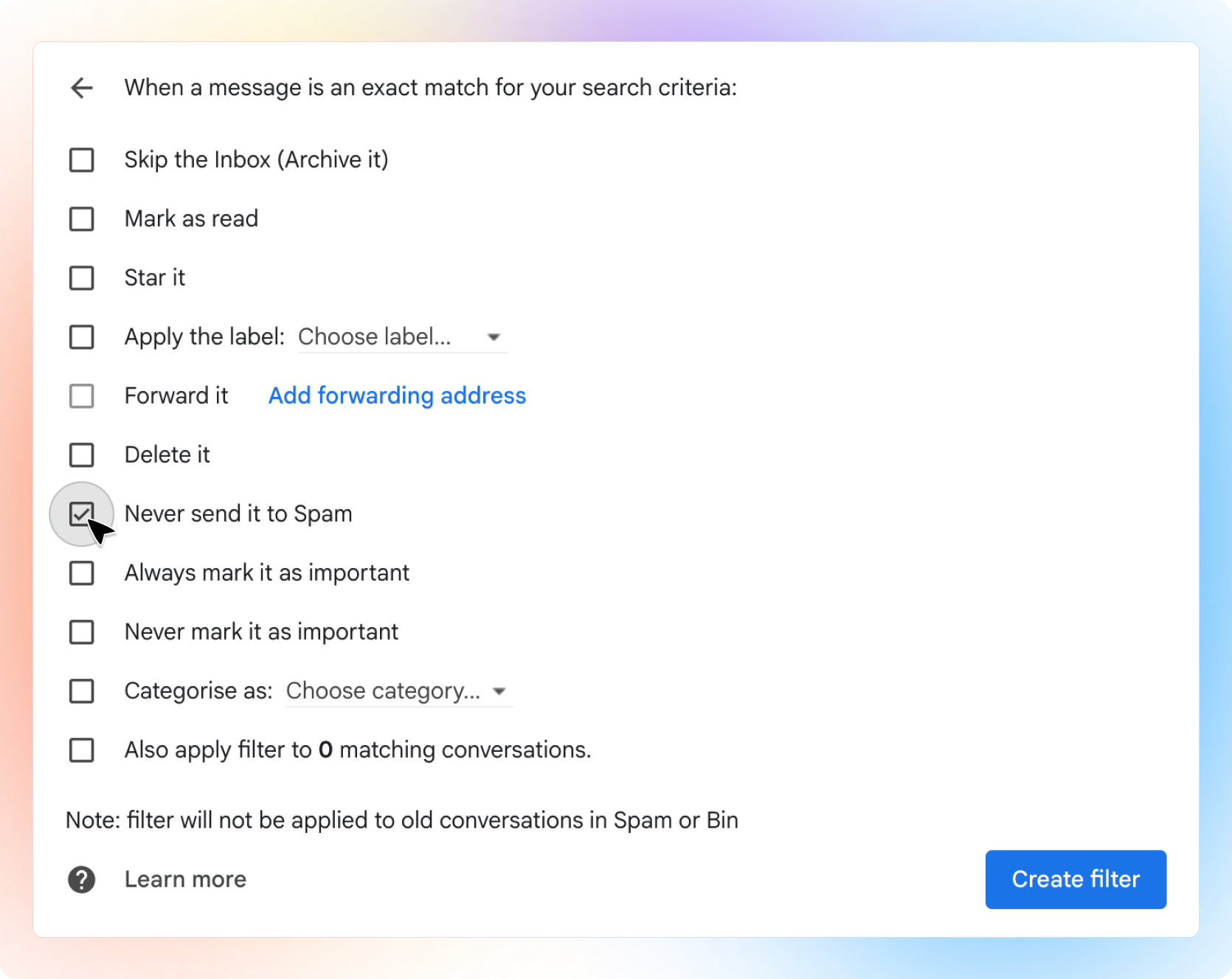
Click (Tick) the box that says: Never send it to Spam and click "Create Filter".
Your new Beami filter will look like this! 👇
✅ To add Beami to your Gmail contacts:
To make sure Gmail doesn’t mark emails from Beami as spam, add our email address to your Google Contacts. You can do this on your computer or through the Gmail app on your phone.
On Desktop:
Open Gmail.
Find the email from us: [email protected]
Click on Beami's name or email address.
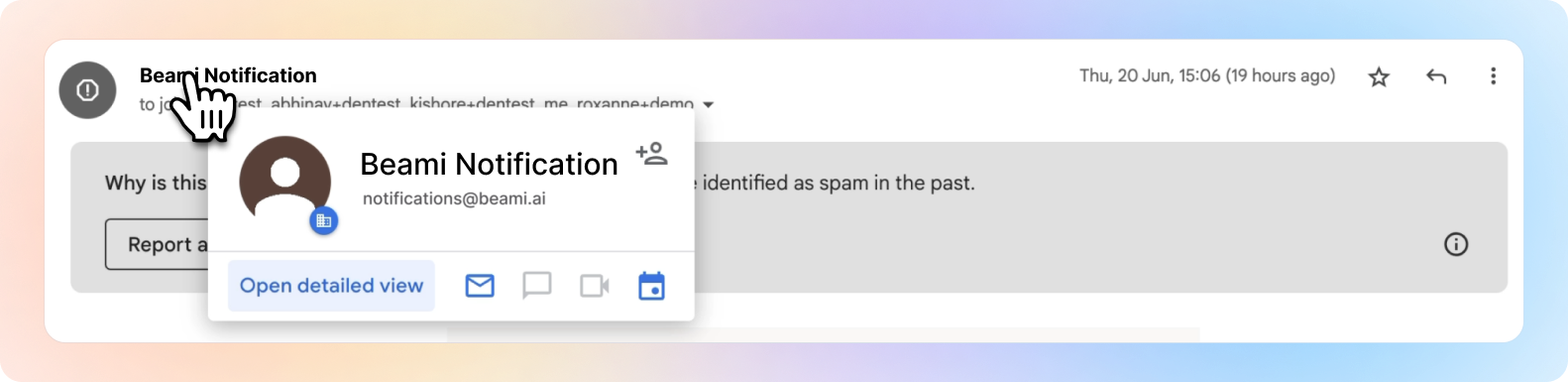
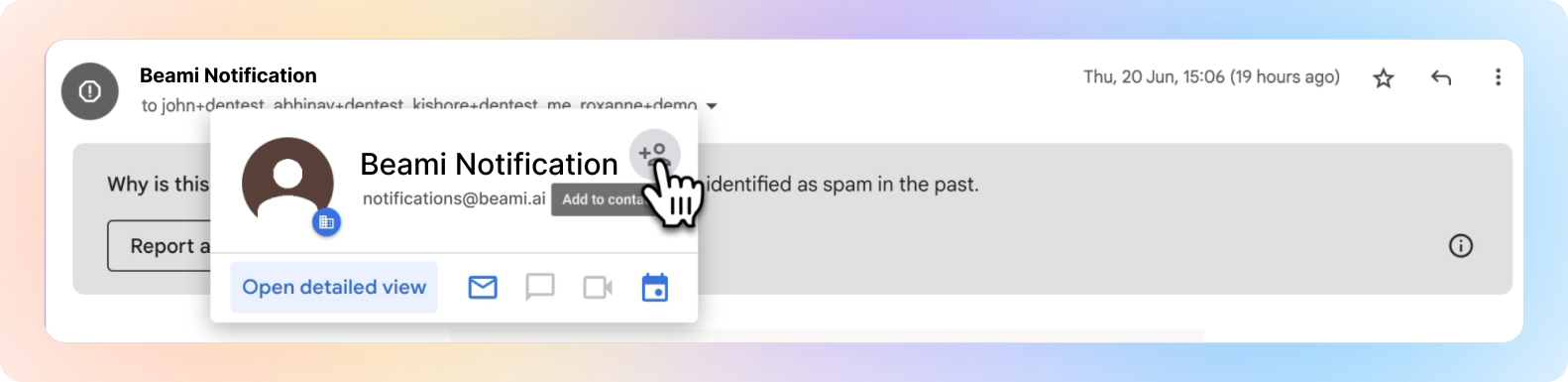
Click “Add to Contacts.”
On Mobile App:
Open the Gmail app.
Find the email from us: [email protected]
Tap on Beami's name or email address.
Select “Add to Contacts.”
✅ If Beami is already in your Spam folder
Go to your Spam folder
Select the message form Beami and Click "Report as not Spam".
🎉 And that's it!